16
STEP 7 – CHARGING
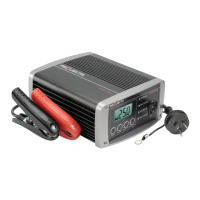
DuringnormalchargingtheLCDscreenwilldefaulttotheVOLTSdisplay;toviewinput
currentpresstheVOLTS/AMPSbutton.
DuringEqualisationandRecondition,theLCDscreenwilldisplayrapidhorizontallines.
STATUS LCD DISPLAY
Equalisation(CalciumOnly)
Recondition(Auto) –––
–––
–––
Recondition(Manual) Rapidhorizontal(scrolling)lines
TheLEDindicatorswillalsoilluminateandflashvarioussignals,indicatingthedifferent
stagesofcharging.Refertopage7foradiscriptionofLEDsignals.
Whenthebatteryisfullycharged,thegreenFULLYCHARGEDLEDwillilluminate.This
isknownasthefloatstageandthechargercanbeleftconnectedtothebatterywithout
overcharging.
IftheredPOWERLEDisflashing,ortheLCDscreendisplaysanerrorsignal,there
isafault;refertothe“Fault&Errors”explanationonpage15ofthismanual.
STEP 8 – DISCONNECTION
Ensurethe240Vmainsswitchisturnedoffandthechargerisdisconnectedfrom
the240Vmainspower.
Battery out of vehicle
RemovetheBLACKlead(batteryclip)fromthebattery.
RemovetheREDlead(batteryclip)frombattery.
Battery in vehicle
Removethechassisconnection.
Removethebatteryterminalconnection.
STEP 9 – CHECK THE ELECTROLYTE LEVEL (CALCIUM MODE ONLY)
Checktheelectrolytelevelandtopupifrequired.



 To Next Page