INSTRUCTION DISPLAY
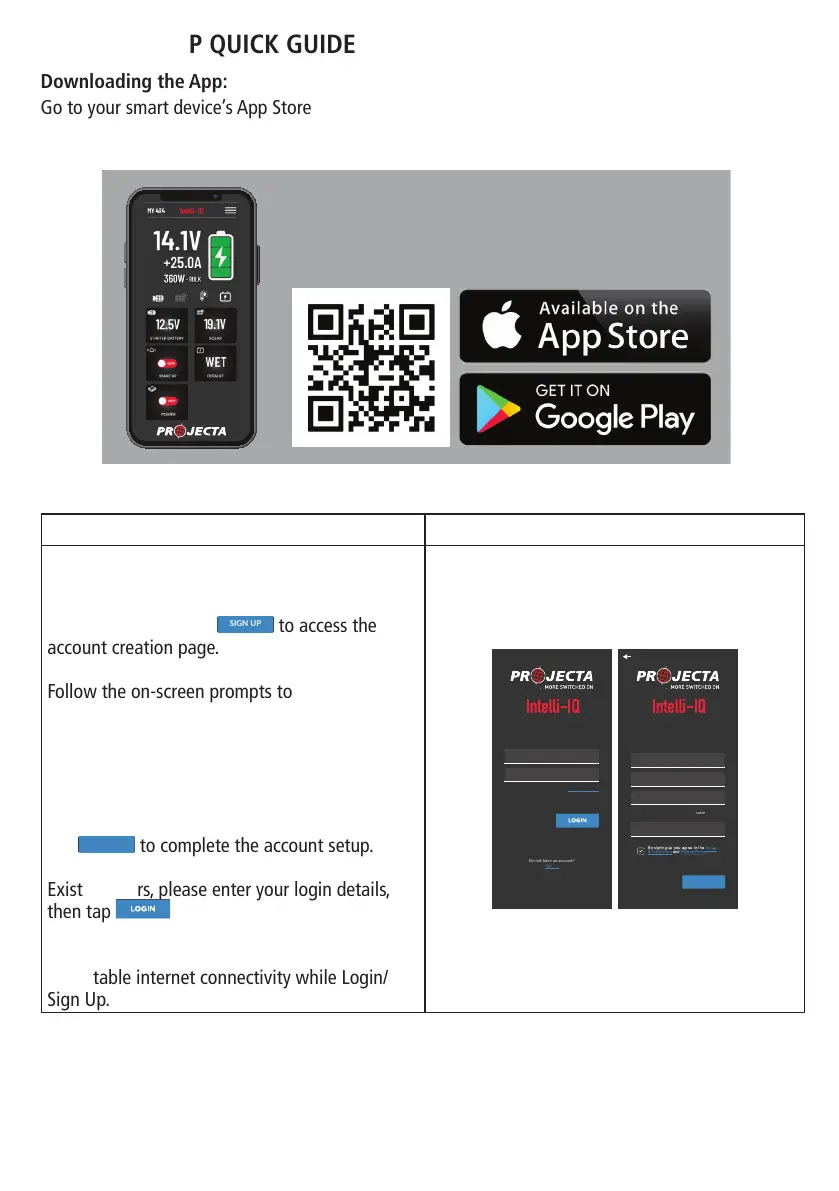
Upon completing the download, open the
INTELLI-IQ APP and proceed to the login page.
New users, please tap
By signing up you agree to the Terms
&
onditions and Privacy Policy
NAME
EMAIL
PASSWORD
CONFIRM PASSWORD
SIGN UP
Password needs at least 8 characters with 1 or more
numbers and 1 or more uppercase characters.
to access the
account creation page.
Follow the on-screen prompts to complete the
account registration process.
Ensure that you agree to the privacy policy and
user terms and conditions in order to establish
an account and utilize the application.
Tap
By signing up you agree to the Terms
&
onditions and Privacy Policy
NAME
EMAIL
PASSWORD
CONFIRM PASSWORD
SIGN UP
Password needs at least 8 characters with 1 or more
numbers and 1 or more uppercase characters.
to complete the account setup.
Existing users, please enter your login details,
then tap
Do not have an account?
Sign-Up
Version 0.0.1
EMAIL
PASSWORD
LOGIN
to continue.
Please make sure your IOS or Android device is
with stable internet connectivity while Login/
Sign Up.
Do not have an account?
Sign-Up
Version 0.0.1
EMAIL
PASSWORD
LOGIN
Forgot Password
By signing up you agree to the Terms
&
onditions and Privacy Policy
NAME
EMAIL
PASSWORD
CONFIRM PASSWORD
SIGN UP
Password needs at least 8 characters with 1 or more
numbers and 1 or more uppercase characters.
INTELLI-IQ APP QUICK GUIDE
Downloading the App:
Go to your smart device’s App Store (iPhone/iPad) or Play Store (Android) and search for
“Intelli-IQ” or scan the following QR codes to download this app for free to your smart devices.
Installing the App:
PROJECTA IQ APP
Connect your smart devices via
Bluetooth® wireless technology
13


 To Next Page