INSTRUCTION DISPLAY
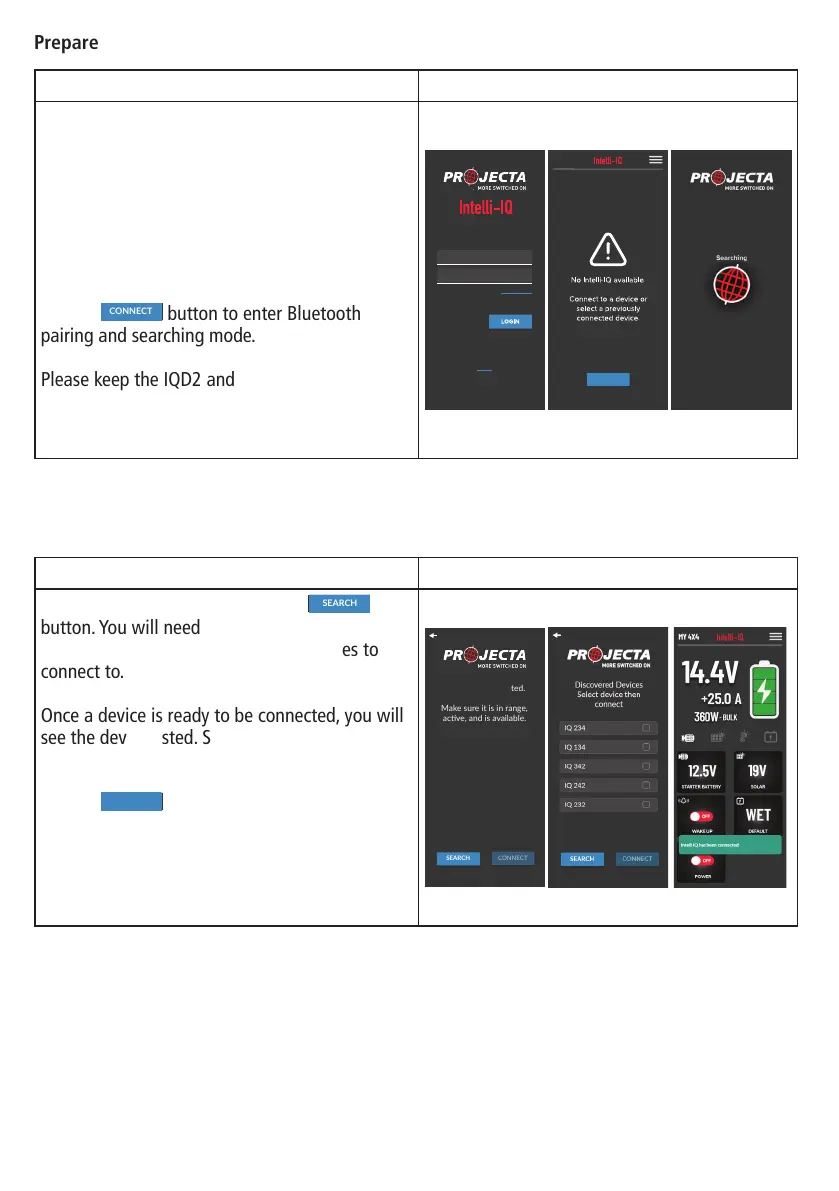
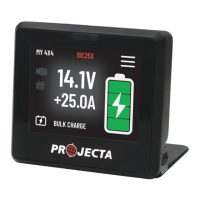
Wire up the IQD2 and Intelli-IQ devices to the
power supply.
Ensure the smart device’s Bluetooth function is
enabled and authorize the Intelli-IQ application
to use this function to establish device
connections.
Tap the
No Intelli
-
IQ available
.
Connect to a device or
select a previously
connected device
.
CONNECT
button to enter Bluetooth
pairing and searching mode.
Please keep the IQD2 and the smart device
within three meters of each other to ensure
optimal search performance.
Do not have an account?
Sign-Up
Version 0.0.1
EMAIL
PASSWORD
LOGIN
Forgot Password
No Intelli
-
IQ available
.
Connect to a device or
select a previously
connected device
.
CONNECT
INSTRUCTION DISPLAY
To nd the device nearby press the
No Intelli IQ detected.
Make sure it is in range,
acve, and is available.
SEARCH
button. You will need to wait 20 seconds while
the app searches for and prepares devices to
connect to.
Once a device is ready to be connected, you will
see the device listed. Select the device you wish
to connect to.
Tap the
No Intelli
-
IQ available
.
Connect to a device or
select a previously
connected device
.
CONNECT
button and your device will
proceed with a paired connection.
After the connection is successful, you will be
presented with the IQ charging dashboard.
No Intelli IQ detected.
Make sure it is in range,
acve, and is available.
SEARCH
Prepare the Device:
Connect the Intelli-IQ:
14


 To Next Page