TROUBLESHOOTING
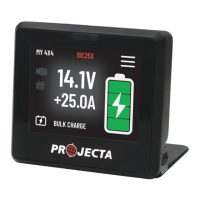
1. Why my IQD2 screen not turn on?
Monitor the supply voltage and the operating temperature of the system. The system will enter
sleep mode if the supply voltage drops below 13.0V, or will not start if the supply voltage falls
below 8.5V.
The system will activate protect mode if the operating temperature exceeds 50°C.
2. ‘NO DEVICE FOUND’ when start up.
Ensure that every device in the network has a LIN wire connected to IQD2. You can connect the
LIN wires in parallel or in a daisy chain. To scan the devices, press the reset button on
the screen.
3. Mobile app failed to connect IQD2.
Verify that the Bluetooth is turned on your mobile phone. The IQD2 device must be within 15
meters of your phone for a Bluetooth connection.
4. How to reset default settings?
To reset your IQ settings, click the ‘IQ Reset’ button on the settings page. Please note that this
will erase all the device records in your IQD2 device.
12


 To Next Page