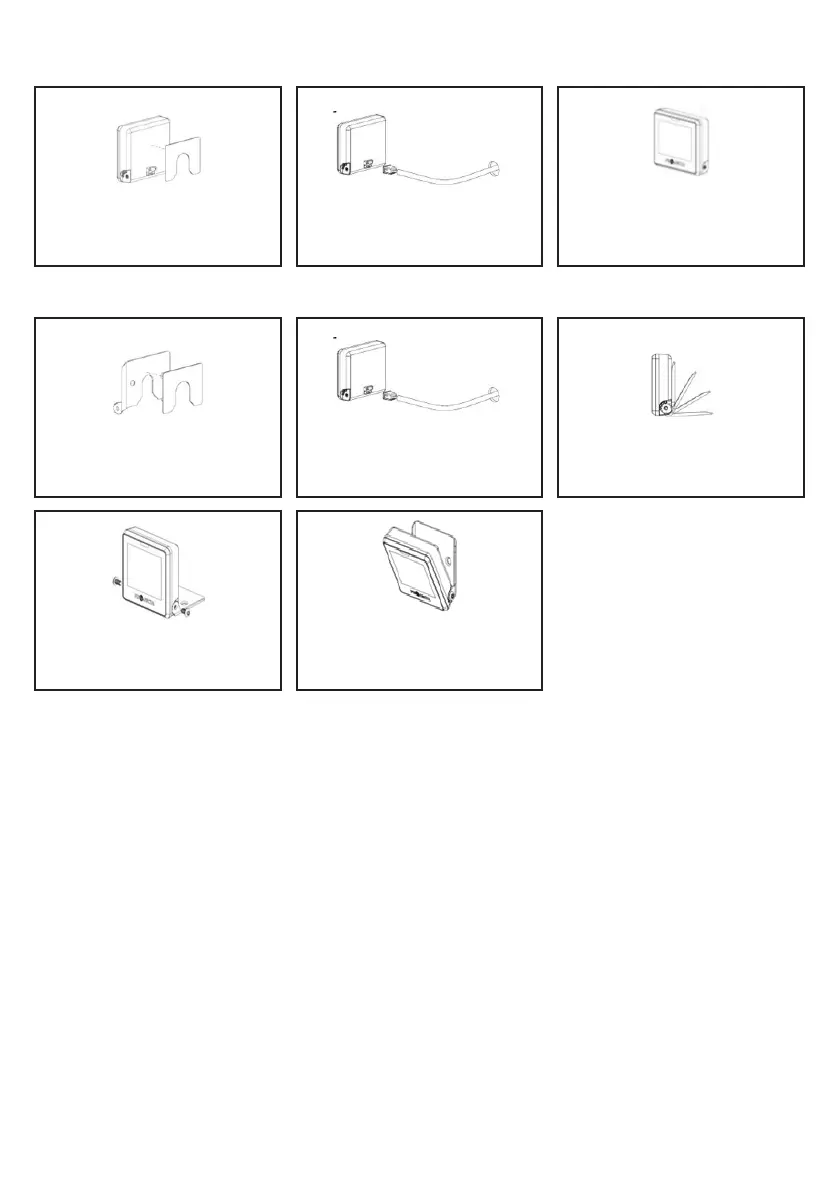
B. Using the supplied 3M double-sided adhesive:
i. Without the bracket
ii. With the bracket
4. Fasten the bracket and screen with
provided screws and hex key.
2. Thread the loom through the pre-
drilled hole. Then, connect the plug to
the smart display’s back receptacle.
2. Thread the loom through the pre-
drilled hole. Then, connect the plug to
the smart display’s back receptacle.
1. Clean the back of the IQD2 with
an alcohol swab, attach the provided
double-sided tape.
3. Stick the product on the clean, even
surface and let it set 12+ hours for
strong adhesion.
1. Clean the back of the bracket
with an alcohol swab and attach the
provided double-sided tape.
3. Insert the screen in the bracket,
adjust for viewing, and ensure proper
gear engagement.
5. Stick the product on the clean, even
surface and let it set 12+ hours for
strong adhesion.
7


 To Next Page