6
OPERATING INSTRUCTIONS
CARE AND MAINTENACE
• Make sure the unit is turned OFF, unplugged and the heang elements of heater are cool whenever you are
cleaning the heater.
• Clean the metal trim using a water-dampened so, clean cloth. DO NOT use brass polish or household cleaners
as these products will damage the metal trim.
• The motors used on the fan and the flame generator assembly are pre-lubricated for extended bearing life and
require no further lubricaon. However, periodic cleaning/vacuuming of the fan/heater and air intake/output
vents is recommended.
• Any other servicing should be performed by an authorized service representave.
Flame Brightness Seng
• The flame brightness mode should be used to set the flame brightness.
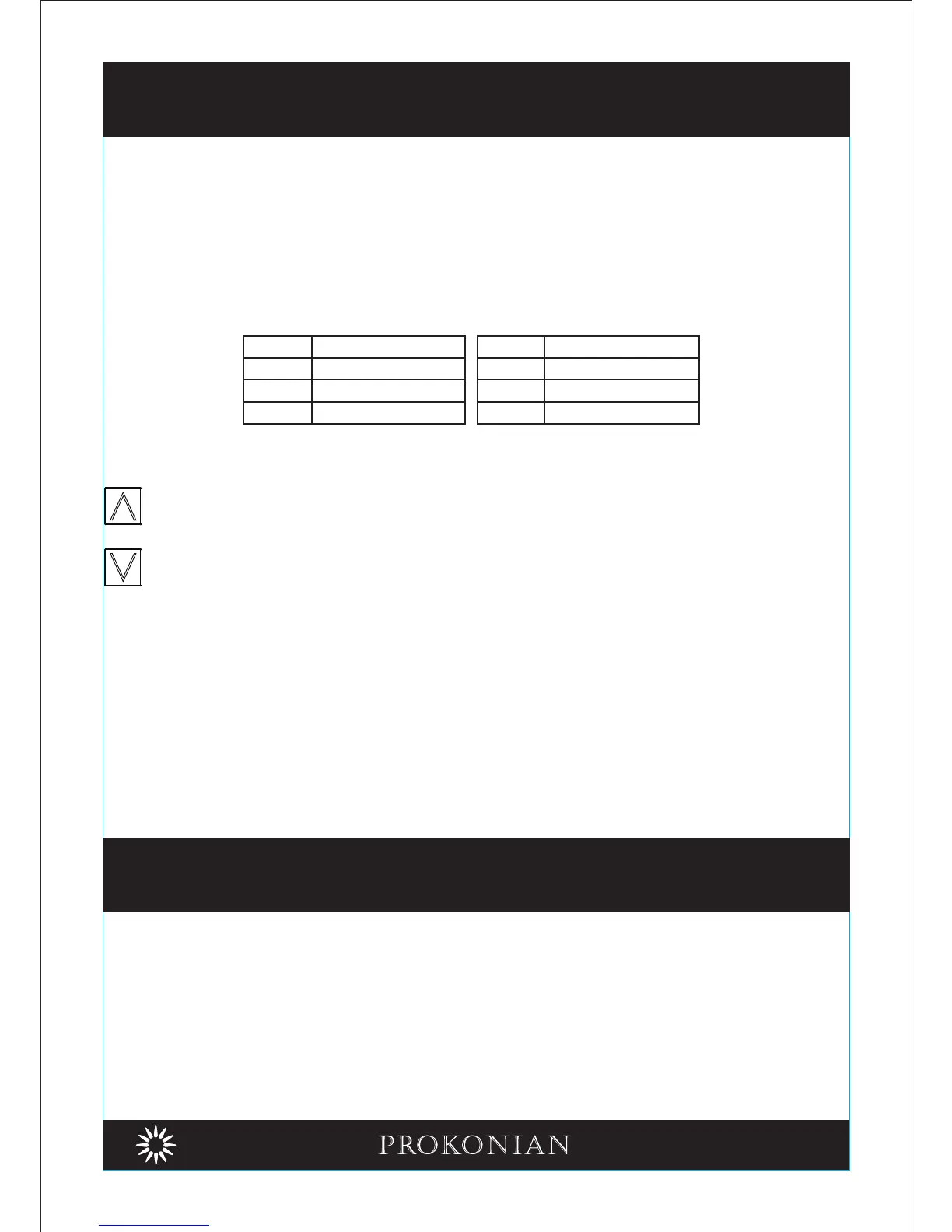
• Use Up arrow buon or Down arrow buon to scroll through the flame brightness sengs:
F0 (Flame OFF, only lowest brightest on ember bed), F1, F2, F3, F4, F5 (brightest).
Log Color Setting
• The log color mode should be used to set the color of the logset.
• Use Up arrow buon or Down arrow buon to scroll through the color sengs:
Child Lock
Acvate Child Lock
When the unit is ON, holding the POWER buon for 10 seconds to acvate the Child Lock funcon. E3 will be
displayed and "Beep Sound" for 3 mes that indicate the Child Lock funcon acvate. All funcon keys are
locked. When pressing any buon, E3 will be displayed that indicate the Child Lock funcon acvate.
Inacvate Child Lock
To inacvate the Child Lock funcon, holding the POWER buon for 10 seconds.
Note: Child lock funcon is only available if using the control panel.
UP Arrow Buon
• Use up arrow buon to increase the seng of the selected funcon.
Down Arrow Buon
• Use down arrow buon to decrease the seng of the selected funcon.
ColorSeng
C1
C2
C3
Yellow
Blue
Yellow + Red
Yellow + Blue + Red
C4
C5
C6
Color
Seng
Yellow + Blue
Auto Change


 To Next Page