562500-000, Issue1.0, May 2013
41 of 69
8.4.2 Low Limit Setting - Known Low Menu
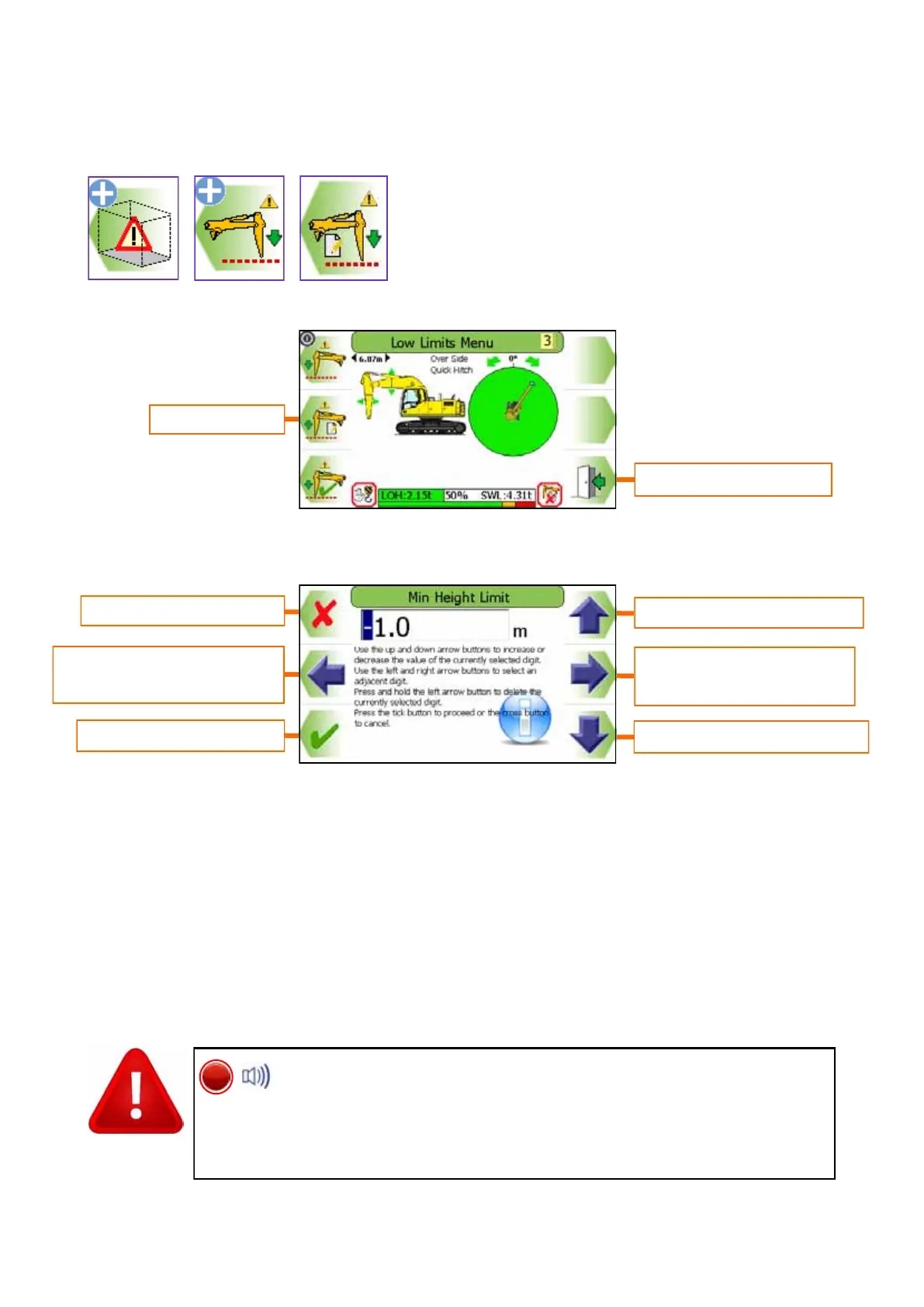
A known low limit can be entered into the display:
Press the ’Enter a value’ button
Use the UP and DOWN arrows to increase and decrease the highlighted number. Use
the LEFT and RIGHT arrows to move the highlighter to the left and to the right.
Increases highlighted digit
Decreases highlighted digit
Accept displayed value
Cancel without change
Moves highlighter to left /
Hold to delete digit
Moves highlighter to right /
Hold to delete digit
Exit to previous menu
Enter a value
Once a low limit set, the internal alarm will sound and the RED
LED will light if the equipment exceeds the limit. Always check that
the low limit activates at the set point. The restriction cannot be deactivated
if in the alarm state. Observe the operational limitations given in section 4.


 To Next Page