162
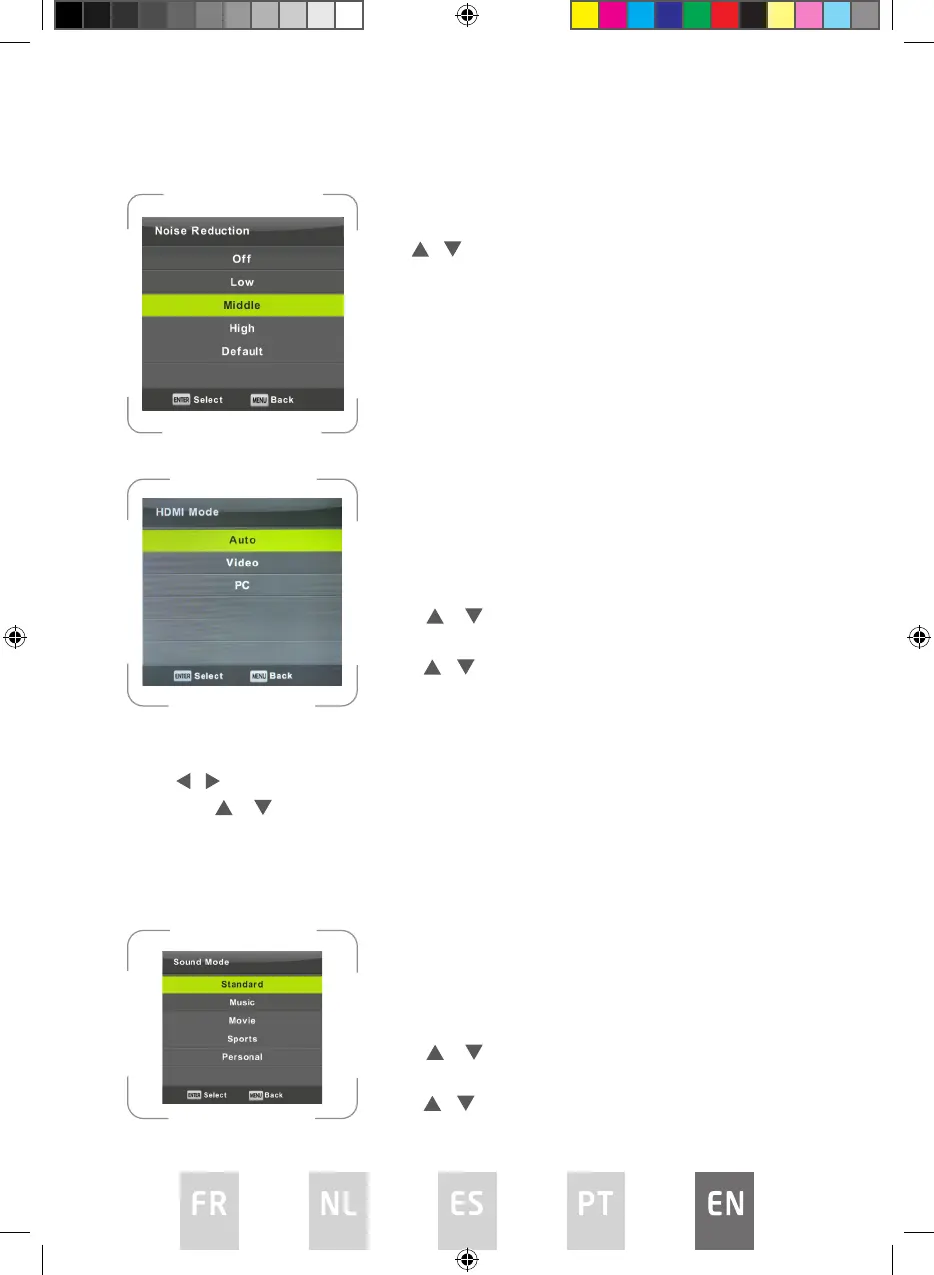
Noise Reduction
HDMI Mode
Sound Menu
Press MENU button to display the main menu.
Press / button to select SOUND in the main menu.
1. Press / button to select the option that you want to adjust in the
SOUND menu.
2. Press ENTER button to adjust.
3. After nishing your adjustment, Press ENTER button to save and return to
the previous menu.
To lter out and reduces the image noise and
improve picture quality.
Press / button to select Noise Reduction, then
press OK button to enter sub-menu.
Off Select to turn o video noise detection.
Low Detect and reduce low video noise.
Middle Detect and reduce moderate video noise.
High Detect and reduce enhanced video noise.
Default Set as Default.
Press / button to select HDMI Mode, then
press OK button to enter sub-menu.
Press / button to select.
(Available modes: Auto, Video, PC).
Sound Mode
Press / button to select Sound Mode, and
then press ENTER button to enter sub-menu.
Press / button to select.
L5020UHD LED IB.indd 162L5020UHD LED IB.indd 162 29/5/2023 9:46 AM29/5/2023 9:46 AM



 To Next Page