PROLiNK Hurricane 5200C/5201 ADSL2+ Modem / Router
User Manual
Page 22 of 59
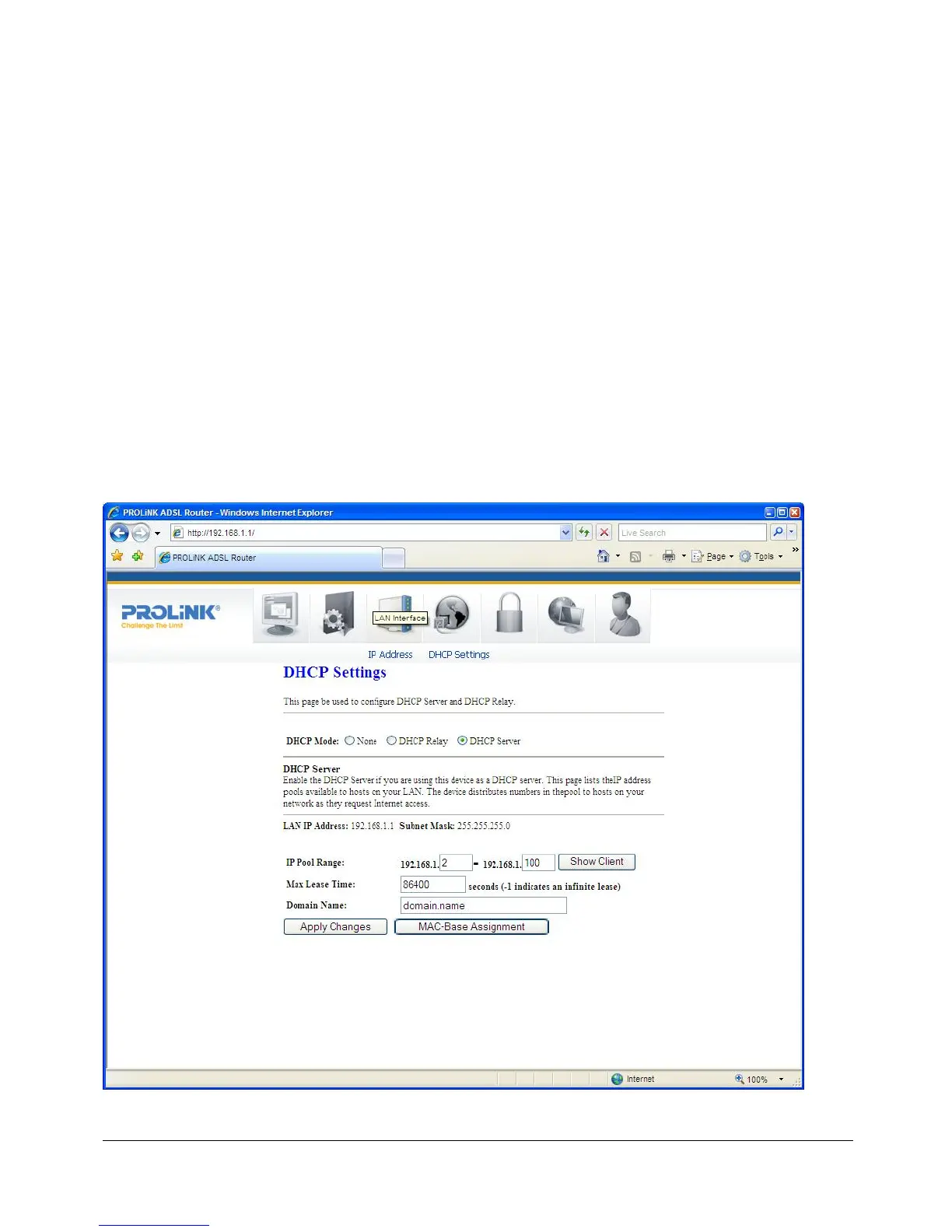
7.2 DHCP SETTINGS
DHCP Mode
You can configure your network and the modem/router to use the Dynamic Host
Configuration Protocol (DHCP). This page provides DHCP instructions for implementing it
on your network by selecting the role of DHCP protocol that this modem/router wants to
play. There are two different DHCP roles that this modem/router can act as: DHCP Server
and DHCP Relay. When acting as a DHCP server, you can setup the server parameters at
the DHCP Server page (by selecting this option as DHCP mode); while acting as DHCP
Relay, you can setup the relay at the DHCP Relay page.
DHCP Server Configuration
By default, the modem/router is configured as a DHCP server, with a predefined IP
address pool of 192.168.1.2 to 192.168.1.100 (subnet mask 255.255.255.0).
Fields in this page:



 To Next Page