
EasyManua.ls Logo

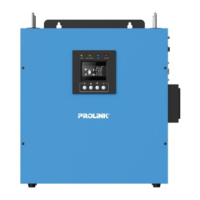
PROLiNK IPS Series - User Manual

PROLiNK IPS Series
20 pages
Print Icon
To Next Page IconTo Next Page
Loading...
OFF-GRID SOLAR INVERTER
User Manual
IPS SERIES – TOWER/DESKTOP/WALL MOUNT
IPS3003-P/M & IPS5003-P/M
3KVA/5KVA
Version 1.00
(English)

Other manuals for PROLiNK IPS Series

Questions and Answers

  • K
    Kyle JamesJul 29, 2025
    Why is the PROLiNK Inverter backup time so short?
    • C
      Christopher MillerJul 29, 2025
      The backup time of your PROLiNK Inverter might be short due to several reasons: overloading, in which case you should disconnect non-critical loads; low battery voltage, so you should recharge the battery for at least 8 hours; or a bad battery, which means you should replace it with a good quality battery.
  • L
    Lindsey MooreAug 5, 2025
    What to do if the PROLiNK IPS has no LCD display?
    • M
      Marilyn MedinaAug 6, 2025
      If your PROLiNK Inverter's LCD display is not working, it could be due to a few reasons. The battery voltage might be low, so recharge the battery and check the battery cables are well connected. The battery could also be defective, requiring replacement. Finally, ensure you press and hold the power button.
  • T
    Trevor KellyAug 12, 2025
    Why PROLiNK IPS works in backup mode when mains are normal?
    • A
      Ashley ArnoldAug 12, 2025
      If your PROLiNK Inverter is operating in backup mode even when the mains are normal, the AC input might be absent. Check the connection of the AC input.
  • M
    Mark OrtizAug 20, 2025
    How to stop the PROLiNK Inverter alarm buzzer from beeping continuously?
    • A
      Abigail CoxAug 20, 2025
      The alarm buzzer on your PROLiNK Inverter beeping continuously indicates that the inverter has entered a fault mode. Refer to the fault code to identify the fault and report to service representative for further assistance.

Summary

Safety Instructions

General Safety Precautions

Read warnings, use lead-acid batteries, indoor installation, disconnect power before maintenance, wear protection.

Product Overview

Key Features

Lists automatic switchover, enhanced AC charger, solar charger, selectable voltage ranges, efficiency, rack/wall mount, auto-restart, LCD/LED indicators, environmental control, multiple protections.

Top Panel Components

Identifies components on the top panel: LED indicators, LCD, and function buttons.

Rear Panel Components

Rear Panel Identification

Details the components on the rear panel, including DC/AC input/output terminals, PV input, breaker, power button, and communication port.

Installation

Unpacking and Inspection

Lists included items: inverter, manual, setting screws. Advises to check for missing items.

Mounting and Clearance

Specifies minimum 30cm wall clearance, importance of solid wall mounting, and easy LCD access.

Battery Connection

Guides on battery size (min 200AH), cable gauge (6 AWG), and connecting terminals, including diagrams.

PV String Connection

Covers selection of PV panels and connecting PV strings to the inverter, emphasizing polarity and circuit breaker use.

AC Connection and Settings

Details connecting AC input cables, loads, and selecting AC input voltage range (Narrow/Wide).

Operation

Power On;Off

Instructions on how to turn the inverter on and off using the power switch.

LED Indicators

Explains the meaning of different LED colors and flashing patterns for various operating modes and faults.

Function Keys

Describes the function of each key (ESC, UP, DOWN, ENTER) for navigating settings and modes.

LCD Display and Settings

Explains LCD icons, power flow, input/output readings, and how to access and navigate the setting mode.

Operational Settings

Details configuration options such as buzzer enable, AC input/output voltage, and output source priority.

Charger and Voltage Settings

Covers charger source priority and voltage settings for switching between PV, utility, and battery modes.

Current and Battery Management

Configures max charging currents, auto-restart voltage, battery shutdown, energy-saving mode, and initialization.

Operating Mode Descriptions

Illustrates and explains different operating modes like standby charging, PV charging, and combined utility/PV charging.

Fault and Warning Codes

Fault Code Details

Lists fault codes (A64, A68, etc.), their events (Overload, High Temp), and audible alarms.

Trouble Shooting

Common Problems and Solutions

Provides a table of common issues like 'No LCD display' or 'Backup time is short' with their causes and remedial actions.

Specification

Technical Specifications

Details technical parameters for 3K and 5K models, including capacity, input/output, efficiency, battery charging, and physical dimensions.

Disposal

Product Disposal Guidelines

Instructs users to contact local dealers for disposal and not to discard with household waste.

Customer Care Centers

Contact Information

Provides office and hotline contact details for Indonesia, Malaysia, and Singapore.

PROLiNK IPS Series Specifications

General IconGeneral
ModelIPS Series
CategoryInverter
Input Voltage12V / 24V / 48V DC
Output WaveformPure Sine Wave
Output Frequency50Hz / 60Hz
Protection FeaturesOverload, Over Temperature, Short Circuit
CoolingFan
Operating Temperature0°C to 40°C