LED Indicators
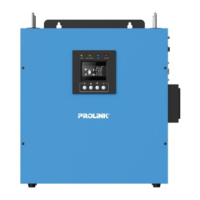
The operation mode of the inverter can be easily understood by LED indicators. Please refer
to the table below for details.
After connecting batteries, AC input cables, and loads, the inverter is now ready for use.
Operations4
EN5
Power On/O
Once the inverter has been properly installed, press the power switch to turn on the unit.
The unit will work automatically in line mode or inverter mode according to input utility
power’s status. To turn the unit off, press the power switch again.
LED Indicator Information
Green
Yellow
Red
Line mode 1
(charge current >3A)
Line mode 1
(charge current ≤3A)
O charge mode
Battery mode Yellow solid lighting
Red flashing every 0.5 seconds
Red solid lighting
Overload
Fault
Green flashing every 2 seconds
Green solid lighting
Green flashing in order of:
0.5s On→0.5s O→0.5s On→3.5s O

 To Next Page
 Loading...