2. Overview
4
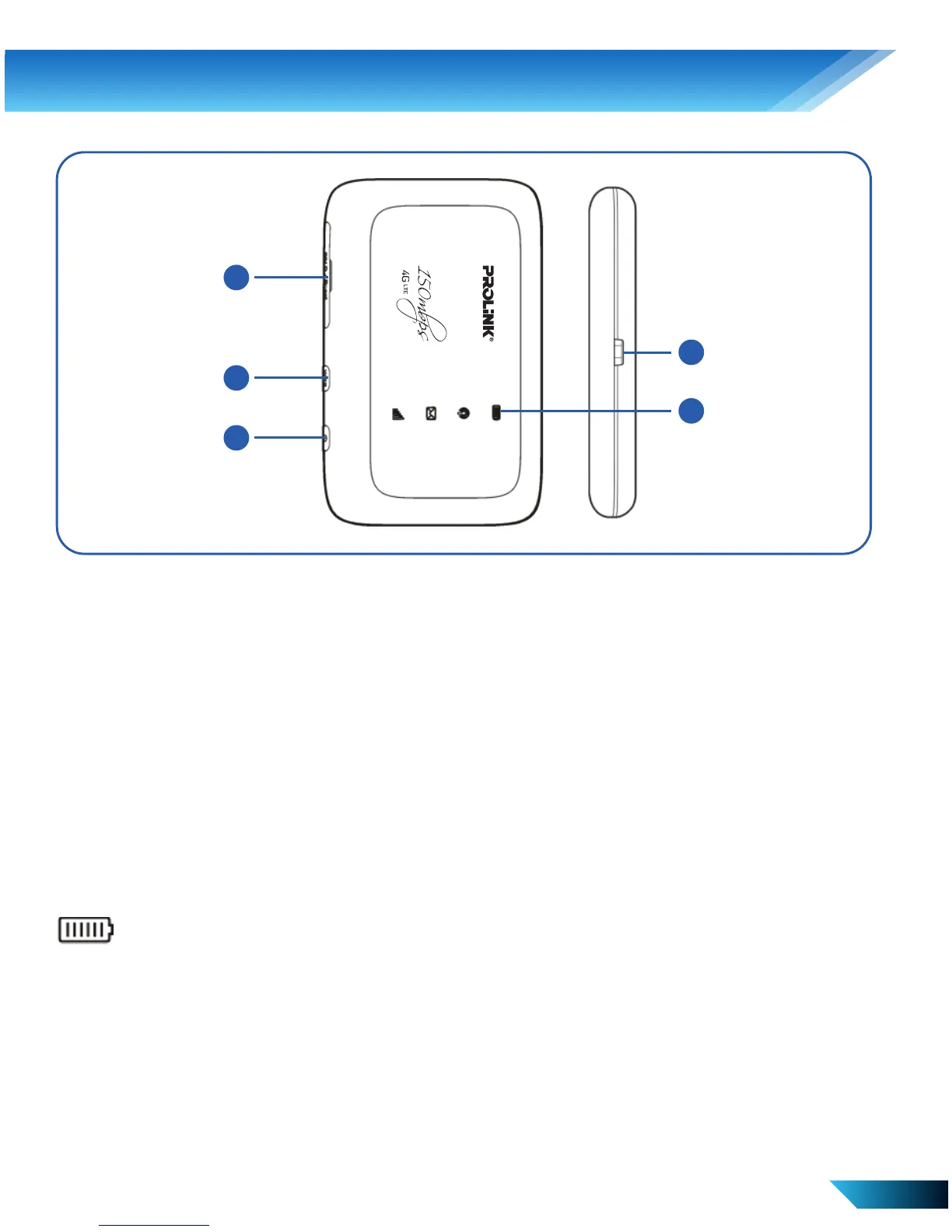
Interface and Buttons
1. SIM/USIM Card Slot /
Reset Button
2. WPS Button
EN 2
4
3. Power Button
4. LED Indicator
5. Micro USB Port
Indicators
When the device is powered on, the following icons may be
displayed on the screen. For a description of the icons, refer to the
following table.
Red Solid/ Blinking : The battery is low.
Please charge the battery.
Green Blinking : The battery is being charged or in
standby mode.
Green Solid : The battery level is middle or high.
LED Light Off : Your device is not being charged, or
the battery is not inserted.
5
4
1
2
3



 To Next Page