TR515 User’s Manual
25
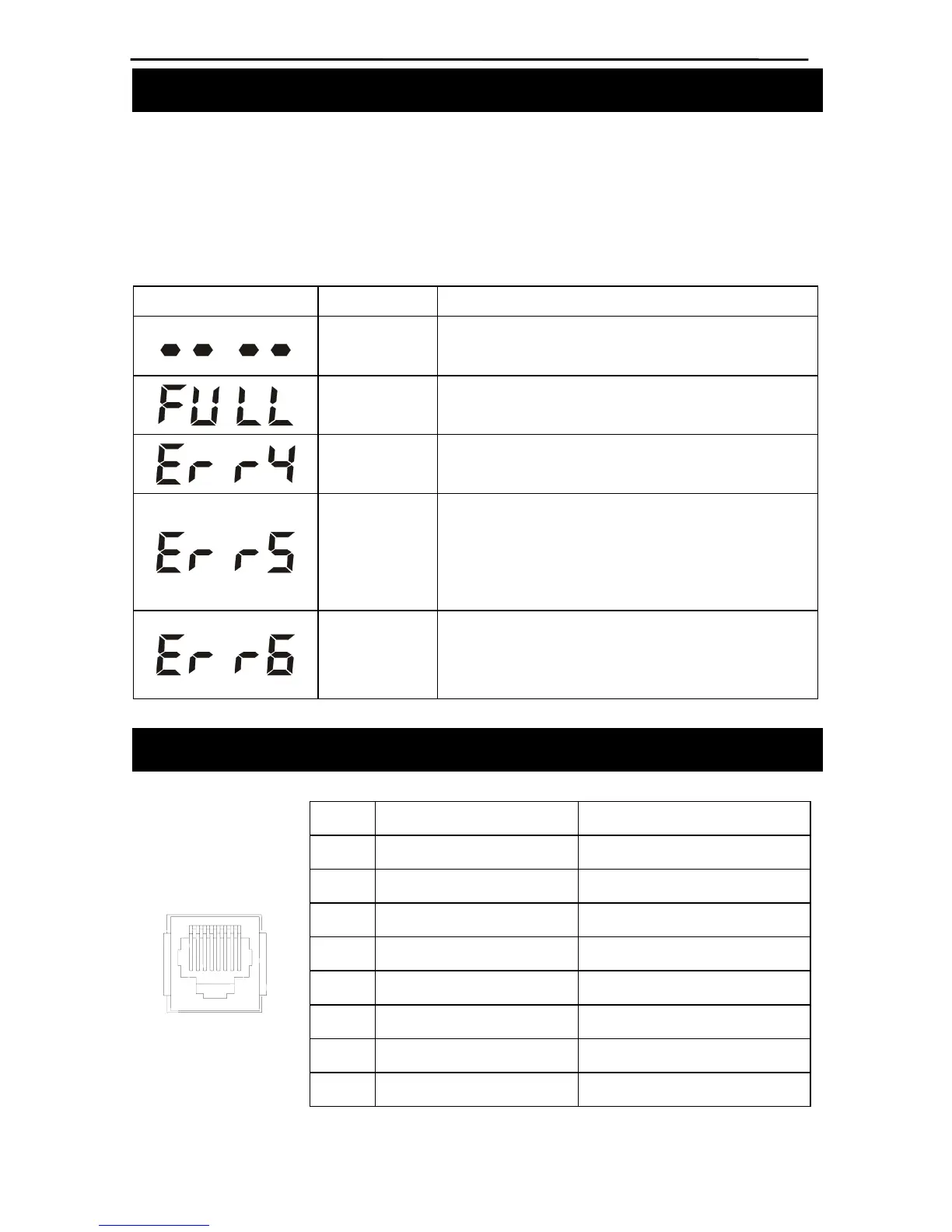
Appendix A. Possible Errors
This Section lists all possible error messages that may be generated during the
TR515’s normal operation. The table below does not apply to the Test and FMM
modes of the TR515 (see Sections 5 and 6 respectively for complete details on
errors generated in these modes).
LED Error Description/ Remedy
Read
error
ID-card read error. Read the card again
Database
full
The database is full and new record cannot be
added.
Error 4
Incorrect setting value. Reinitialize the TR515 by
issuing the R-command
Error 5
The database is corrupted. First, try to power the
TR515 off and back on again. If this doesn’t help,
initialize the database using the E-command or
recover the database using the M-command
Error 6
Time/date is not set. Use the S-command to
correct the problem or reinitialize the TR515 using
the R-command
Appendix B. Interface connector pin assignment
Ethernet Wireless/RS-232/RS-485
#1 TX+
#2 TX- RS232, TX (PC output)
#3 RX+
#4 RS232, RX (PC input)
#5 RS485, (+)
#6 RX- Ground
#7 RS485, (-)
18
#8



 To Next Page