TR515 User’s Manual
30
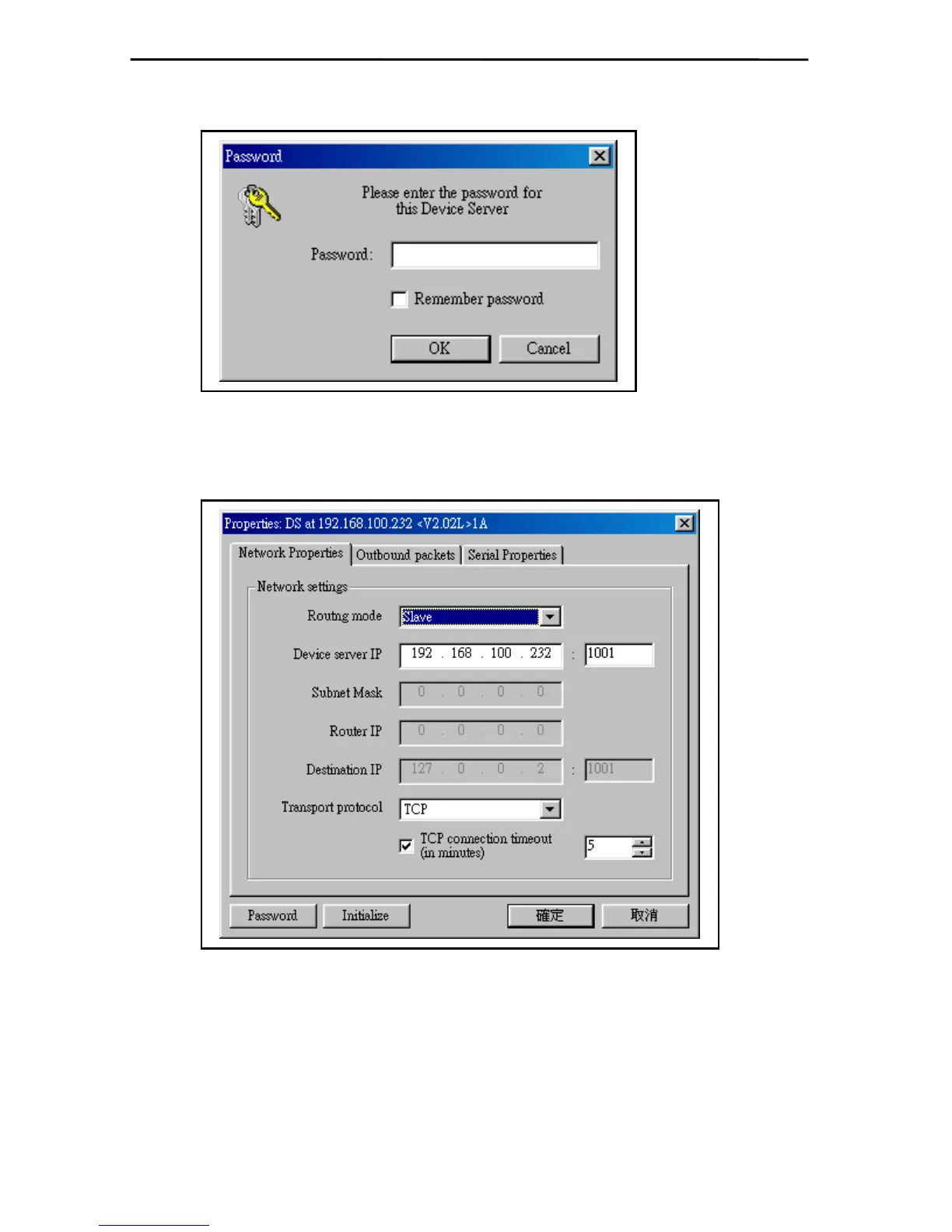
3. Skip it by clicking [OK].
4. Select IP Address and Click [DS Settings] button.
A. Select Routing mode: Slave.
B. Set IP Address (When using multiple TR515E or machines, it is recommended to label
the IP address on each TR515E or machines).
C. Select Transport Protocol : TCP



 To Next Page