FUNCTIONS AND BUTTONS
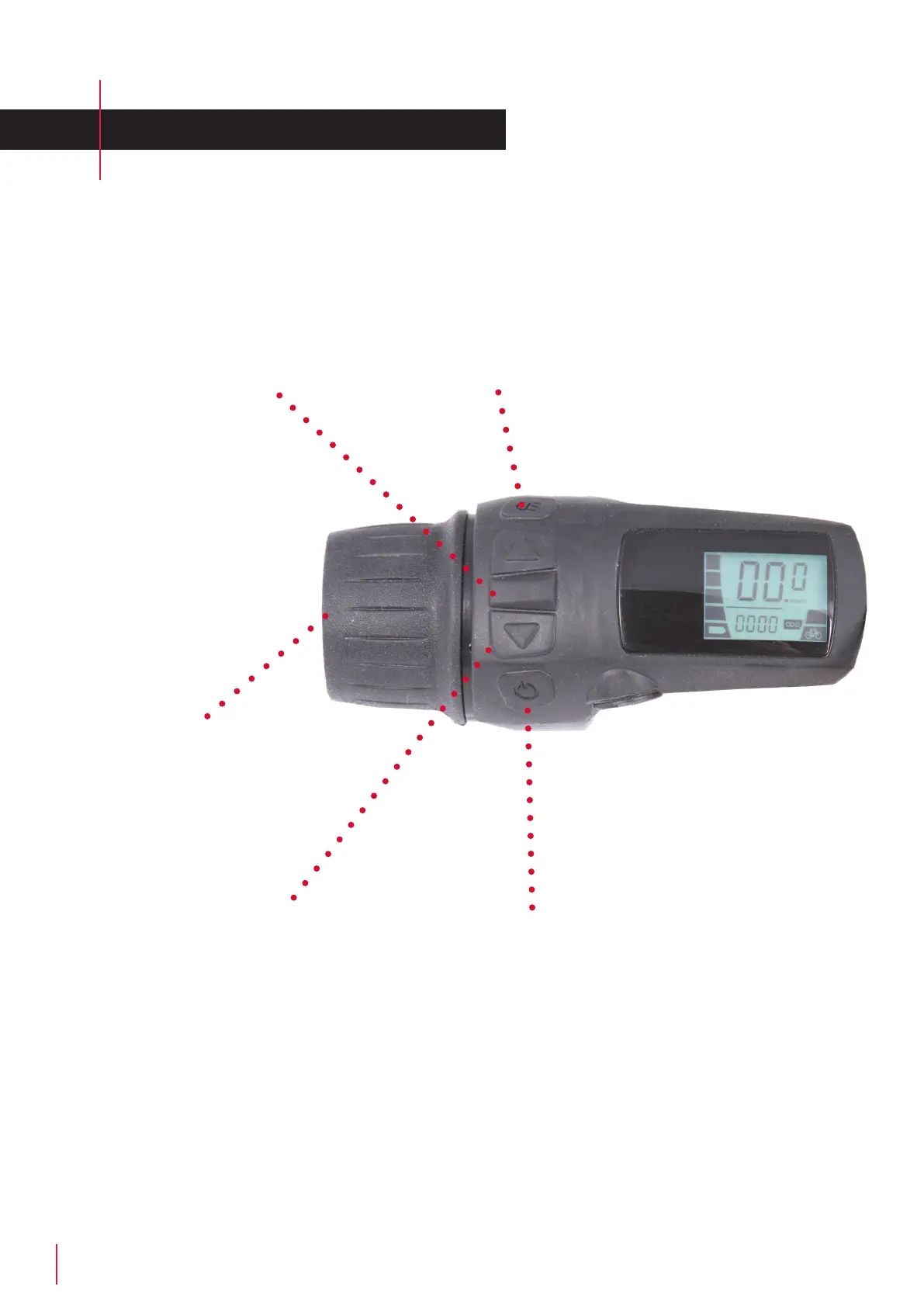
Light ON/OFF
Toggle the light ON/OFF by pressing the
button. NB! The background light will
dim down when the light is “ON”.
Menu
Press the Menu button to switch between
ODO and Trip Counter. TRIP is reset by
holding down the Menu button for 2
seconds.
Selecting Assist-level
Arrow up - Arrow down
Level 4 - is the highest level
Level 1 - is the lowest level.
Level 0 - (only the bar with the bike is displayed)
The assist function is o, however the throttle is
still usable.
ON/OFF-Button
Press and hold the button untill the system
turns ON/OFF. NB! The system will turn o
after 5 minutes without use.
Thottle
The throttle works by turning it
downwards.



 To Next Page