DISPLAY INFO
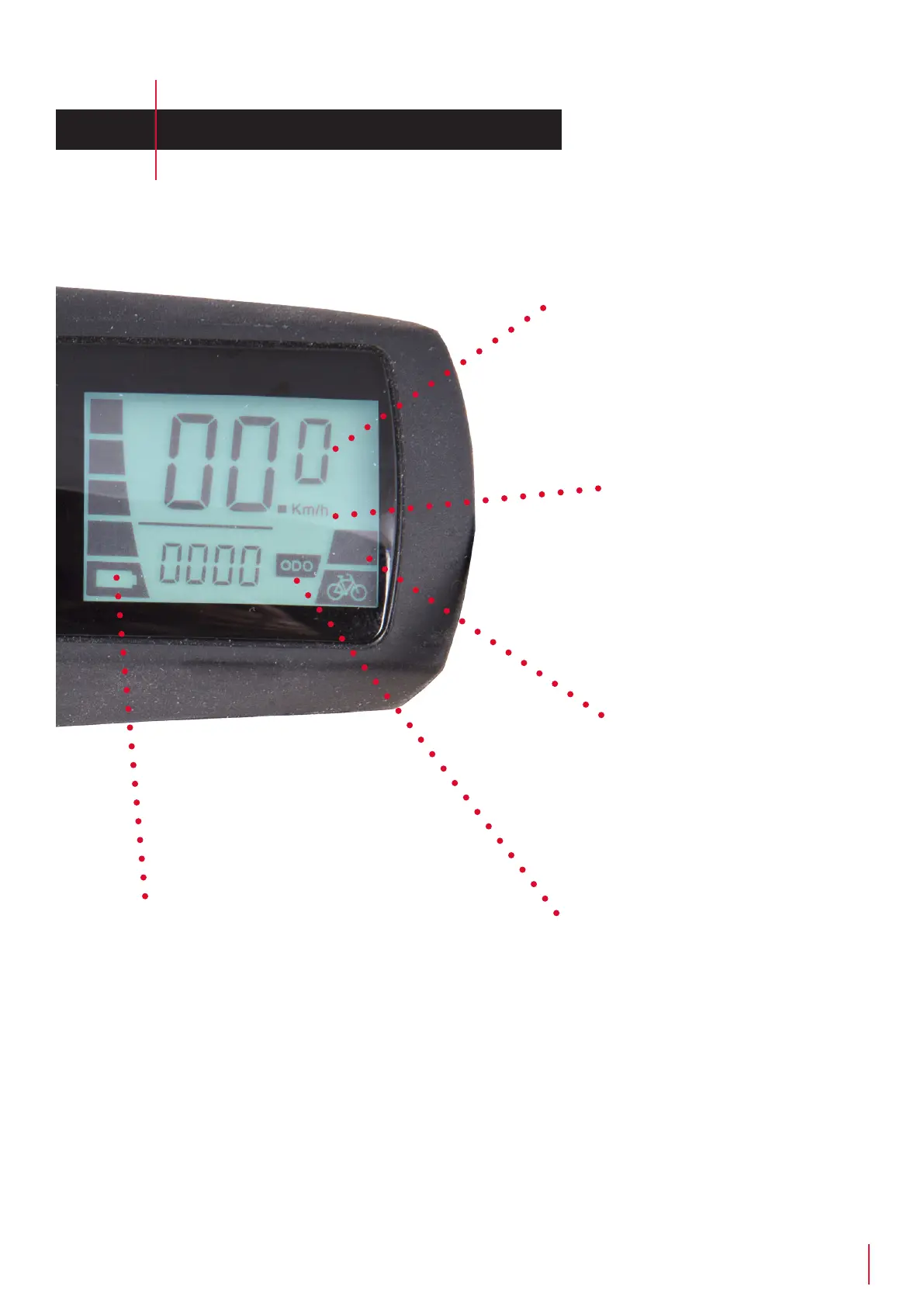
Current speed
Here the current speed is
displayed
Assist-level
The selected assist-level is
displayed in the right side of
the display.
Battery indicator
Here you can see the status of your battery.
The indicator ashes when the minimum
level is reached. Be aware that the system
may turn o if the battery level falls below
minimum level.
Units
Displayed in km/h or mp/h.
If the eld is blank, then
mp/h is displayed. Toggle by
pressing the "Down" button
for 10 seconds
Distance
Dispalyed as:
• TRIP for current trip
• ODO for total distance



 To Next Page