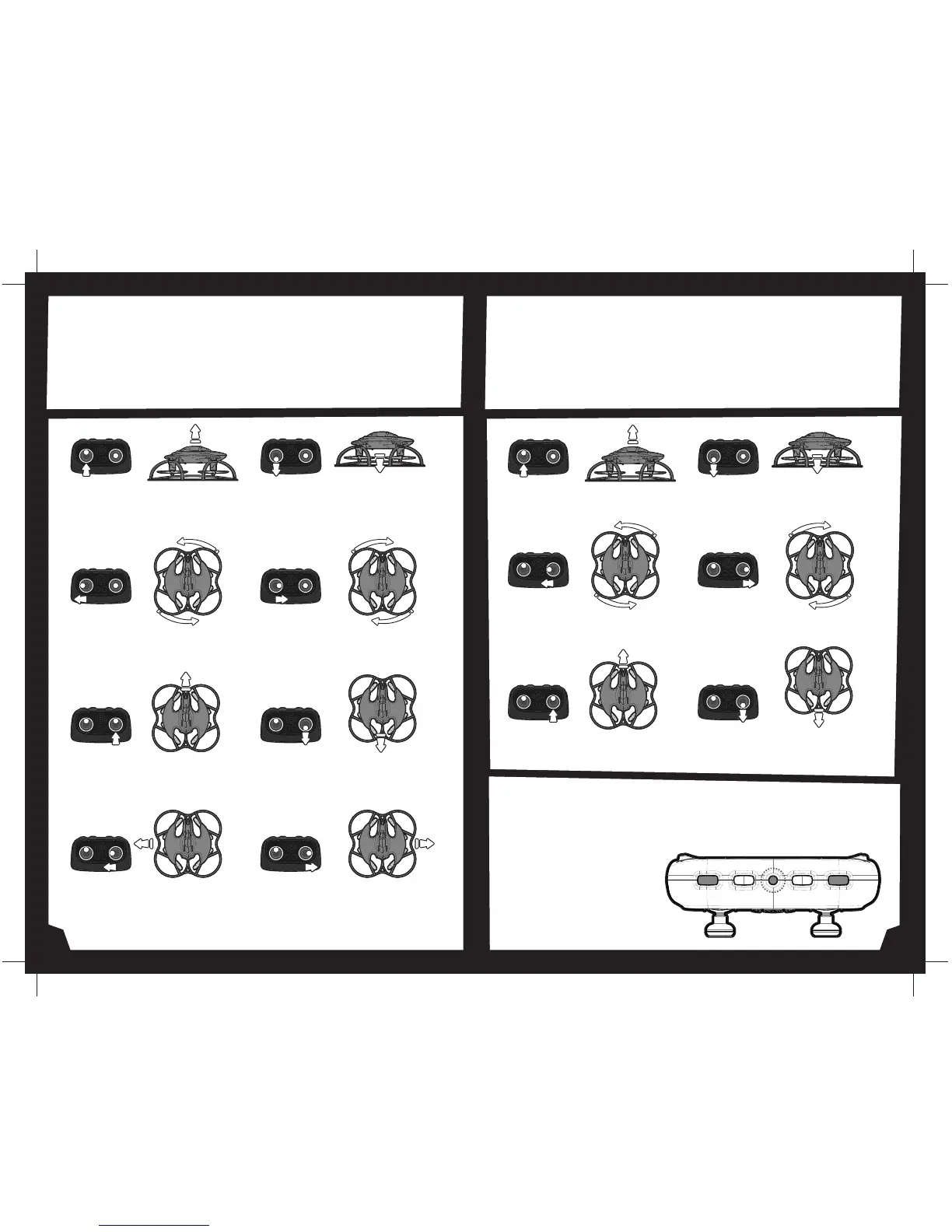
Move the Throttle up to increase
the speed of the motors and the
BATWING™ will rise up.
Move the Throttle down to
decrease the speed of the motors
and the BATWING™ will descend.
Move the Throttle stick left and
the BATWING™ will rotate left.
Move the Throttle stick right and
the BATWING™will rotate right.
Move the Direction Control up and
the BATWING™ will move forward.
Move the Direction Control down
and the BATWING™ will move
backward.
Move the Direction Control left
and the BATWING™ will bank to the
left.
Move the Direction Control right
and the BATWING™ will bank to the
right.
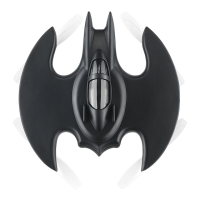
Below is a list of basic flight functions for your long-range remote
control BATWING™. While learning to fly your BATWING™ it is best to start with
a large space until you get used to the basic controls. As you master flying
your BATWING™ you can move to more advanced maneuvering techniques.
Practice makes perfect! When you have these basic steps down you can move
to the next level.
Below is a list of basic flight functions for your long-range remote
control BATWING™. While learning to fly your BATWING™ it is best to start with
a large space until you get used to the basic controls. As you master flying
your BATWING™ you can move to more advanced maneuvering techniques.
Practice makes perfect! When you have these basic steps down you can move
to the next level.
Move the Throttle up to increase
the speed of the motors and the
BATWING™ will rise up.
Move the Throttle down to
decrease the speed of the motors
and the BATWING™ will descend.
Move the Throttle stick left and
the BATWING™will rotate left.
Move the Throttle stick right and
the BATWING™will rotate right.
Move the Direction Control up and
the BATWING™ will move forward.
Move the Direction Control down
and the BATWING™will move
backward.
If the Batwing™ becomes unstable during the course of flying, you may need
to recalibrate the internal gyros. To do this place the BAtwing™ on a flat
level surface, press and hold the calibrate button on the top of remote
controller for 3 seconds
3 CHANNEL FLIGHT CONTROL
CALIBRATING THE BATWING™
The LEDs on the Batwing™
will flash quickly and then
remain solid, this indicates
your drone has been
recalibrated (see diagram).
4 CHANNEL FLIGHT CONTROL
CALIBRATE STUNTSPEED
7 8


 To Next Page