Made in China
CAN ICES-3(B)/NMB-3(B)
V1.0
Conforms to safety requirements of FCC.
©2016 Rooftop Brands™ All rights reserved
Tel: + (1) 949-566-9573 • www.propelrc.com
15
WARNING: Never leave product charging unattended for extended periods of
time. Always disconnect the battery from charger immediately after the battery
is fully charged. Please refer to enclosed safety instructions.
INSTRUCTION BOOKLET
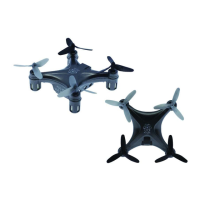
PACKAGE CONTAINS:
Colors and styles may slightly vary.
FCC Part 15 C Notice
CAUTION: Changes or modifications not expressly approved by the party responsible for compliance could
void the user’s authority to operate the equipment.
NOTE: This equipment has been tested and found to comply with the limits for a Class B digital device,
pursuant to Part 15 of the FCC Rules. These limits are designed to provide reasonable protection against
harmful interference in a residential installation. This equipment generates, uses and can radiate radio
frequency energy and, if not installed and used in accordance with the instructions, may cause harmful
interference to radio communications. However, there is no guarantee that interference will not occur in a
particular installation. If this equipment does cause harmful interference to radio or television reception,
which can be determined by turning the equipment off and on, the user is encouraged to try to correct the
interference by one or more of the following measures:
• Reorient or relocate the receiving antenna.
• Increase the separation between the equipment and receiver.
• Connect the equipment into an outlet on a circuit different from that to which the receiver is connected.
• Consult the dealer or experienced radio/TV technician for help.
This device complies with Part 15 of the FCC Rules. Operation is subject to the following two conditions :
(1) This device may not cause harmful interference, and
(2) this device must accept any interference received, including interference that may cause
undesired operation.
2.4G Wireless
Controller
Instruction
Manual
Spare Parts USB Card Reader
TILT
™
TILT
™
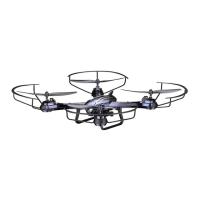
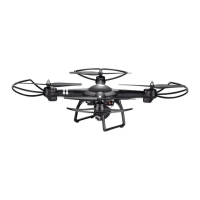
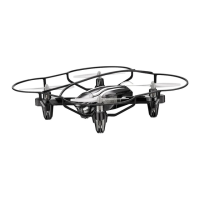
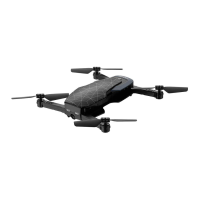
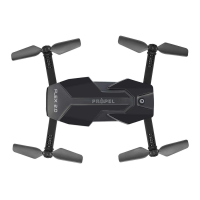
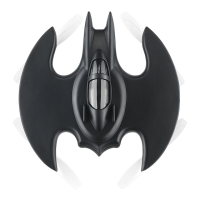
Hybrid Stunt Drone with HD camera and
Altitude Stabilization Technology
PROPEL
AC Charger
& Li-Poly
Rechargeable Battery
ON BOARD
HD VIDEO
ON BOARD
HD CAMERA
1280 x 720 pixel
30 frames per second
INDUSTRY CANADA NOTICE: CANADA ONLY.
This device complies with Industry Canada licence-exempt RSS standard(s). Operation is subject to the following two conditions: (1) this
device may not cause interference, and (2) this device must accept any interference, including interference that may cause undesired
operation of the device.
Le présent appareil est conforme aux CNR d'Industrie Canada applicables aux appareils radio exempts de licence. L'exploitation est
autorisée aux deux conditions suivantes : (1) l'appareil ne doit pas produire de brouillage, et (2) l'utilisateur de l'appareil doit accepter
dout brouillage radioélectrique subi, même si le brouillage est susceptible d'en compromettre le fonctionnement.
Requires Speed Class 6 or higher microSD or
microSDHC card (not included)
microSDHC Logo is a trademark of SD-3C, LLC.
CHOKING HAZARD
-
Small parts.
Not suitable for children under 3 years.
CHOKING HAZARD
- Pièces de petite. taille N’est
pas conçu pour des enfants de moins de 3 ans.
PELIGRO DE ASFIXIA
- Partes pequeñas. No apto
para niños menores de 3 años.
AVER TISSEMENT:
WARNING!
¡ADVERTENCIA!

 Need help?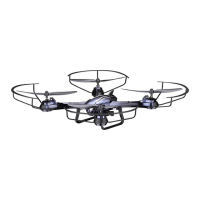

 To Next Page
 General