APPENDIX II: CONFIGURE
YOUR SMARTPHONE
HOTSPOT TO ACT AS
PROPELLER WIFI NETWORK
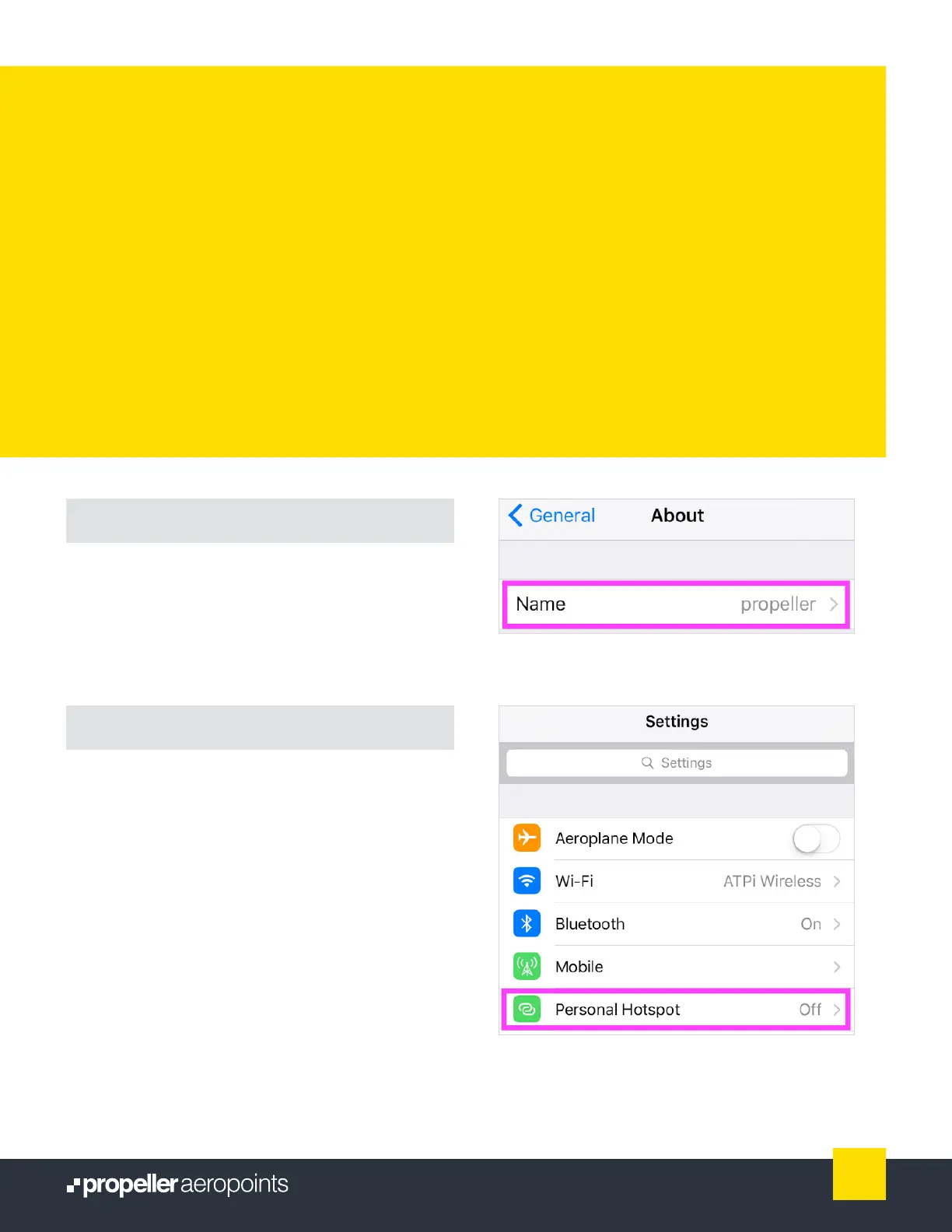
Above: Changing your device name on iOS.
Above: Opening your hotspot settings on iOS.
Using an Android device
The procedure for setting up a WiFi hotspot is different
for each Android device.
Refer to instructions from your specic device
manufacturer (or Google it!).
Using an iOS device
Change your device name
From Settings, navigate to General > About > Name.
Change the name of your device to “propeller.”
Change your Personal Hotspot password
From Settings, navigate to Personal Hotspot. Change
WiFi password to “propeller” and toggle Personal
Hotspot to On (green).
Important: Keep your iOS device open on the Personal
Hotspot screen to maintain connection and monitor
data upload.
19
AeroPoints User Manual



 To Next Page