AeroPoints are built tough, but you can extend their
life by keeping them clean and dry when not in use.
Simply remove dirt and dust with a damp cloth once
your job iscomplete or soon after.
Like a phone or a watch, AeroPoints are water-
resistant (they can handle some mud, splashes,
orlight rain) but not waterproof (they shouldn’t
besubmerged or left out in heavy rain).
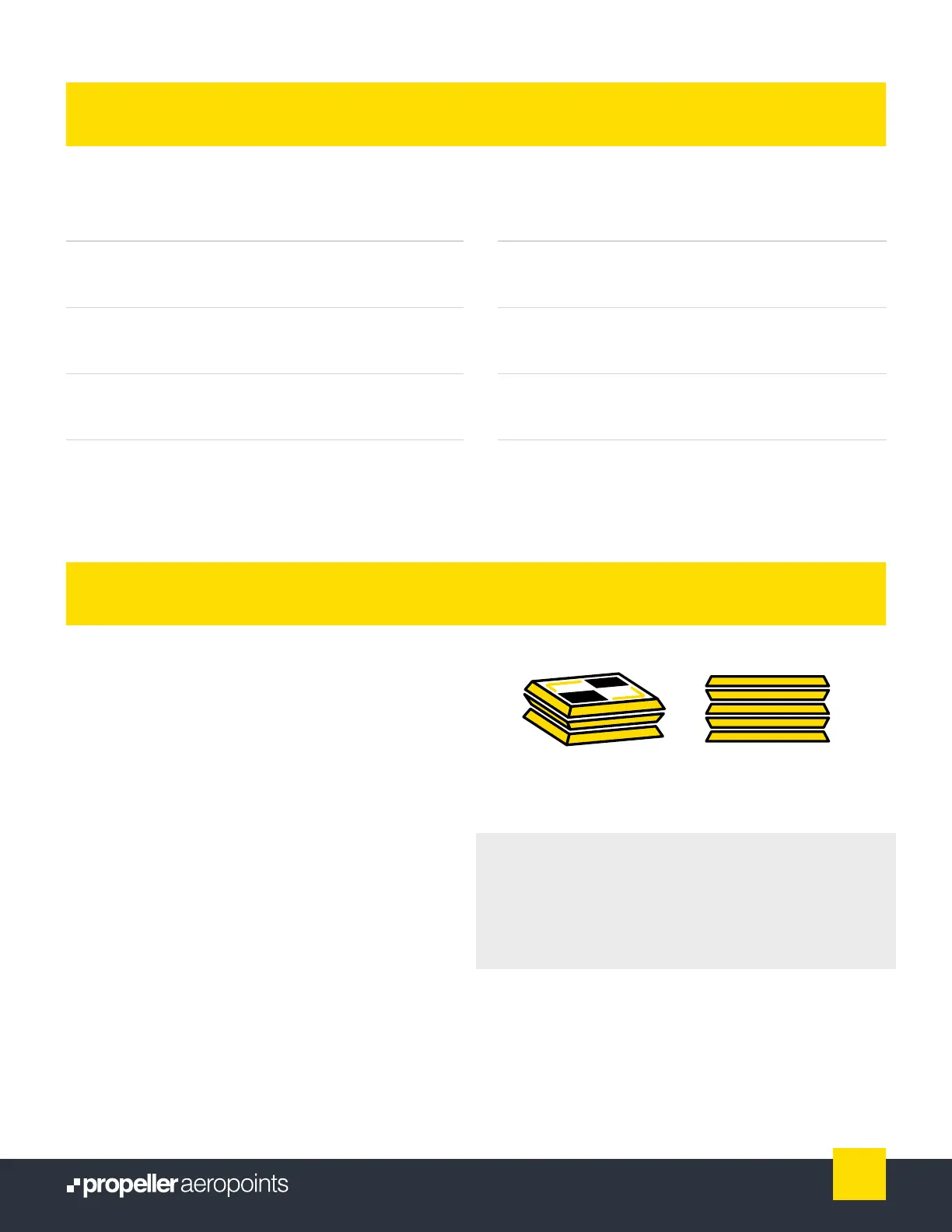
Reduce the risk of sand or gravel scratching the solar
panels by stacking and storing AeroPoints with the
undersides together (illustrated on left). Keep your
AeroPoints healthy by charging them to full regularly
after use and before long-term storage.
Compatible drone
technology
Any GPS (including RTK)
enabled drone, including DJI
(Phantom, Matrice, etc).
Operating
temperature
14ºF (-10ºC) to 122ºF (50ºC)
ambient
Compatible
correction data
Propeller Corrections Network;
On-site base station (RINEX);
Known mark
Operating
humidity
100% (condensing)
Compatible image/
sensor types
RGB only Battery life 45hrs (with no sun exposure)
Processed data
formats
View in Propeller Platform,
ordownload as CSV, PDF, KML
Charging time
forfull battery
16hrs in full sun
Software
compatibility
Any processing application that
accepts GCP data in CSV format
Regulatory
certications
FCC, IC, CE, RCM
Product specications
Care instructions
AeroPoints are covered by a standard international
warranty for one year from activation.
Warranty
Above: Stack and store AeroPoints with their
undersides together.
5
AeroPoints User Manual



 To Next Page