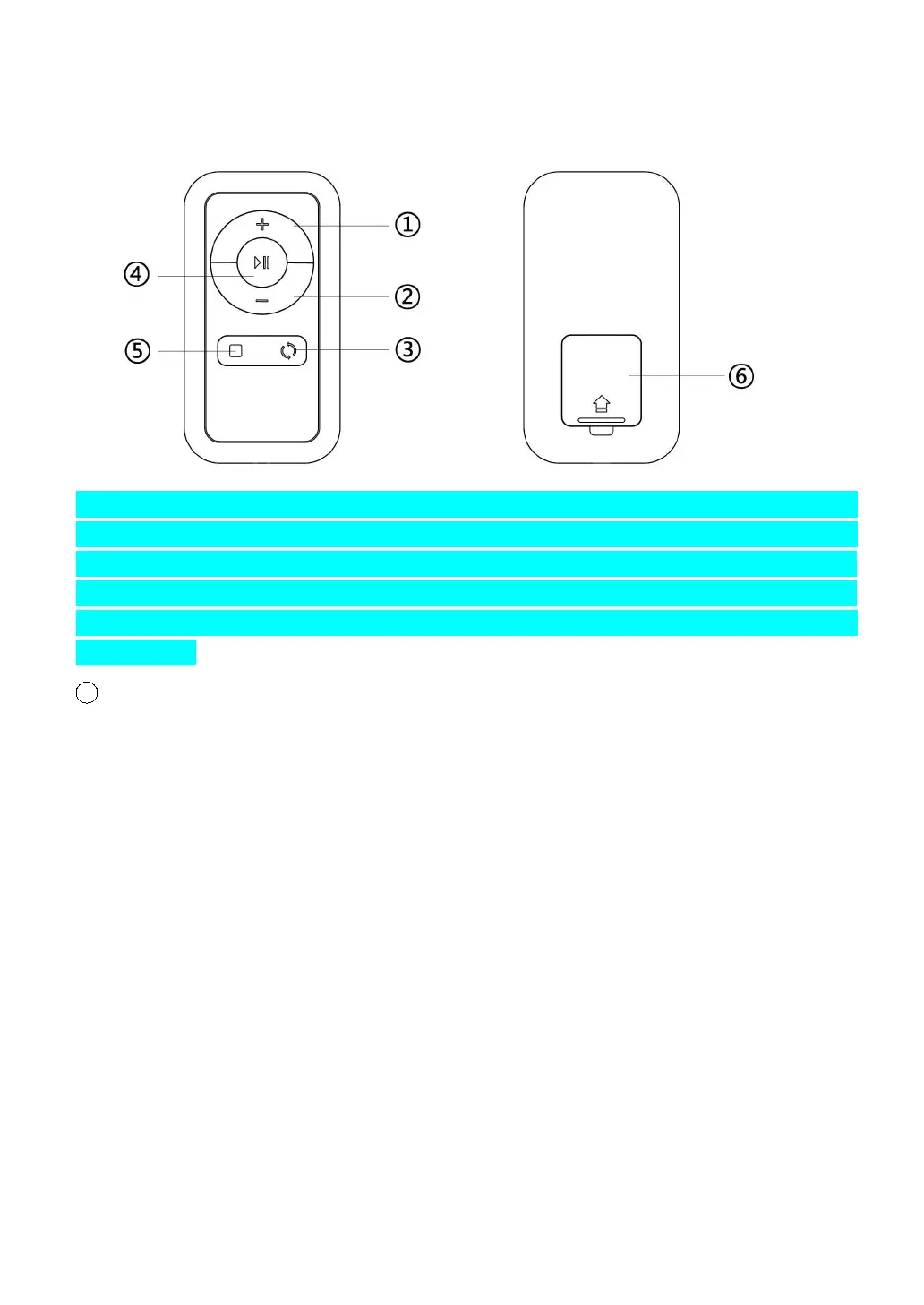
3.REMOTE CONTROL FUNCTIONS:
Note: If the treadmill does not respond to the remote control, you will need to resync the treadmill
and remote control. To sync the remote control with the treadmill, press witch button to switch off
the treadmill first, then press switch button to switch on the treadmill, meanwhile hold on (Keep
pressing around 5 second ) START/PAUSE button before power on till you hear one "BI" sound from
treadmill that means the remove control was connected to treadmill successfully. then user could
start work out.
1 .SPEED + BUTTONS: Press this button to increase the speed.
②.SPEED – BUTTONS: Press this button to decrease the speed.
③.
DISPLAY SWITCH BUTTON: When in use,you can press this button to switch
the display between time, distance, calories, steps and speed value.
④.
START/PAUSE BUTTON: Press this button to start or pause the machine.
⑤.
STOP BUTTON: Press this button to stop the machine.
⑥.BATTERY COVER
NOTE: When attempting to get off of the treadmill but you do not press the Start/Pause
button, the treadmill will stop automatically within 10 seconds. If you want to continue
exercising, restart the treadmill.
LUBRICATION REMINDER
Your treadmill needs lubrication maintenance every 300 KM. The system will
release a beeping sound every 10 seconds and display an “OIL” icon on your


 To Next Page