EasyManua.ls Logo

ProScan PSP264 - User Manual

ProScan PSP264
20 pages
Print Icon
To Next Page IconTo Next Page
Loading...
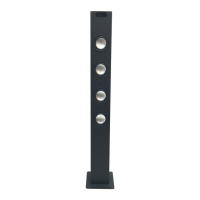
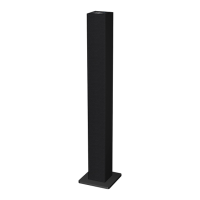
BLUETOOTH TOWER
INSTRUCTION MANUAL
MODEL: PSP264
PLEASE READ CAREFULLY BEFORE OPERATING THIS EQUIPMENT

Questions and Answers

  • M
    Michael ThomasAug 1, 2025
    What to do if Bluetooth is not connecting to my ProScan Speakers?
    • D
      david75Aug 1, 2025
      If you're experiencing Bluetooth reception failure with your ProScan Speakers, it might be due to the external device being too far away. Try moving the Bluetooth device closer to the speakers. Also, ensure that you have paired the device with the speakers by following the Bluetooth pairing instructions.
  • J
    Jill EstradaAug 9, 2025
    Why is there no sound coming from my ProScan Speakers?
    • M
      Micheal MartinezAug 9, 2025
      If your ProScan Speakers aren't producing any sound, there could be a few reasons. First, check that the volume isn't set to the minimum; increase it using the VOL + button. Also, ensure the connected device is playing music or a movie and that its volume is turned up. Finally, verify that the input source is correct by pressing the SOURCE button until you've selected the appropriate mode.
  • M
    Marissa BrownAug 15, 2025
    How to fix sound distortion on ProScan PSP264?
    • N
      Nancy McmillanAug 16, 2025
      Sound distortion in your ProScan Speakers can occur if the bass level on the connected device is too high; try reducing it. Alternatively, the volume level might be too high, so decrease it by pressing the VOL - button.
  • T
    Tina RiversAug 25, 2025
    How to troubleshoot no power on ProScan PSP264 Speakers?
    • D
      Dustin DavisAug 25, 2025
      If your ProScan Speakers have no power, the AC/DC adapter plug might not be properly connected to the wall outlet. Ensure that the plug is securely inserted into the outlet.

Summary

Important Safety Instructions

General Safety Precautions

Key safety warnings and cautions for user protection against hazards like electric shock and fire.

FCC Compliance Notice

Details on FCC rules compliance and measures to prevent radio interference.

General Operating Instructions

Key Usage and Safety Guidelines

Instructions on water proximity, cleaning, ventilation, heat, power cord, accessories, servicing, and power source.

Installation Guide

Base Assembly

Instructions to assemble the wooden base to the main body using supplied screws and washers.

Location of Controls

Main Unit Controls and Ports

Identifies all buttons, ports, and indicators on the main unit for operation.

Rear Panel Connections

Details the FM Antenna and DC IN jack located on the rear panel.

General Operations

Powering, Mode Switching, and Playback

Steps for powering on, selecting modes (Red, Green, Blue, Violet), playback, and volume control.

Powering Off

Instructions on how to properly power off the unit and what to do for long-term storage.

FM Radio Operation

Tuning and Playback

Instructions for tuning stations, manual/automatic search, and volume adjustment during FM playback.

Reception Improvement

Tips for better FM reception, including antenna extension and re-searching after power cycles.

Bluetooth Pairing and Playback

Connecting Bluetooth Devices

Steps to pair and play music from external Bluetooth devices.

First-Time Pairing Process

Detailed first-time pairing procedure, including searching, model identification, and pairing code entry.

Listen to External Audio Devices

Connecting via AUX IN

How to connect external audio players (MP3, PC) using the AUX IN jack for playback.

USB Charge Functionality

Charging External Devices

Instructions for using the USB charge port to charge external devices, noting output power.

Troubleshooting Guide

No Power Issues

Solutions for the unit not powering on, typically related to AC/DC adapter connection.

No Sound or Distortion

Troubleshooting steps for no sound, low volume, input source issues, or sound distortion.

Bluetooth Reception Failure

Solutions for Bluetooth connection problems, including distance and pairing issues.

Technical Specifications

Adapter, Output, and Speakers

Details AC/DC adapter input/output, speaker power, and radio frequency coverage.

Bluetooth Range and Accessories

Specifies Bluetooth working distance and lists included accessories such as manuals and cables.

ProScan PSP264 Specifications

General IconGeneral
BrandProScan
ModelPSP264
CategorySpeakers
LanguageEnglish

Related product manuals