EasyManua.ls Logo

ProScan PSB3713-OP - User Manual

ProScan PSB3713-OP
33 pages
Print Icon
To Next Page IconTo Next Page
Loading...
Please read this instruction manual carefully and keep it for future reference
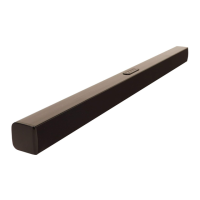
Bluetooth 37'' Soundbar
MODEL:PSB3713-OP

Questions and Answers

  • J
    Jonathan HumphreyAug 2, 2025
    How to turn on ProScan PSB3713-OP Speakers?
    • M
      mwilcoxAug 2, 2025
      If your ProScan Speakers are not turning on, ensure the AC/DC adapter is properly connected to both the unit and the wall outlet. If it's connected, check if the unit is in standby mode. If so, press the Standby/Source button on the unit or the corresponding button on the remote control to turn it on.
  • P
    perryjordanAug 10, 2025
    What to do if my ProScan PSB3713-OP Speakers have no sound?
    • J
      Jennifer ClementsAug 10, 2025
      If your ProScan Speakers have no sound, first, try increasing the volume by pressing the VOL + button. Also, ensure that the connected device is playing music or a movie and that its volume is set to a high level. Finally, verify that the input source is correctly selected by pressing the Standby/Source button on the unit or the SOURCE button on the remote control until you reach the desired mode.
  • P
    Patrick HartAug 17, 2025
    What to do if ProScan PSB3713-OP have Bluetooth connection issues?
    • L
      Linda NguyenAug 17, 2025
      If you're experiencing Bluetooth reception failure with your ProScan Speakers, make sure the external Bluetooth device is close to the unit. If that doesn't work, try pairing the unit with the Bluetooth device again, following the procedures outlined in the manual.
  • T
    Tina PotterAug 25, 2025
    How to fix sound distortion on ProScan PSB3713-OP Speakers?
    • A
      Adam CarrollAug 25, 2025
      If you're experiencing sound distortion or rattling with your ProScan Speakers, try reducing the volume level by pressing the VOL - button. Also, reduce the volume level of the paired device.

Summary

IMPORTANT SAFETY INSTRUCTIONS

Safety Symbols and Warnings

Explains safety symbols like electric shock risk and important servicing instructions.

FCC Compliance and Notes

Details FCC rules compliance, interference, and installation guidelines for the device.

General Safety Precautions

Fire, Moisture, Cord, and Ventilation Safety

Warns about fire hazards, moisture, cord safety, and proper ventilation for safe operation.

PLACEMENT AND MOUNTING

Table Placement and Ventilation

Advises on providing adequate space around the soundbar for ventilation when placed on a table.

Wall Mounting Instructions

Mounting to a Wooden Wall

Provides steps for mounting the soundbar securely onto a wooden wall using screws.

Mounting to a Brick Wall

Details the process for mounting the soundbar onto a brick wall using plugs and screws.

Remote Control and Battery

General Operation Guide

Bluetooth Pairing and Connection

Bluetooth Device Pairing Steps

Provides a step-by-step guide for pairing the soundbar with an external Bluetooth device.

TROUBLESHOOTING GUIDE

Power and Sound Issues

Provides solutions for problems like no power, no sound, and sound distortion or rattle.

Remote and Bluetooth Issues

Offers troubleshooting steps for unresponsive remote controls and poor Bluetooth reception failures.

ProScan PSB3713-OP Specifications

General IconGeneral
BrandProScan
ModelPSB3713-OP
CategorySpeakers
LanguageEnglish

Related product manuals