12
Rev. D / January 2015
CVM-780 Contact Voltmeter
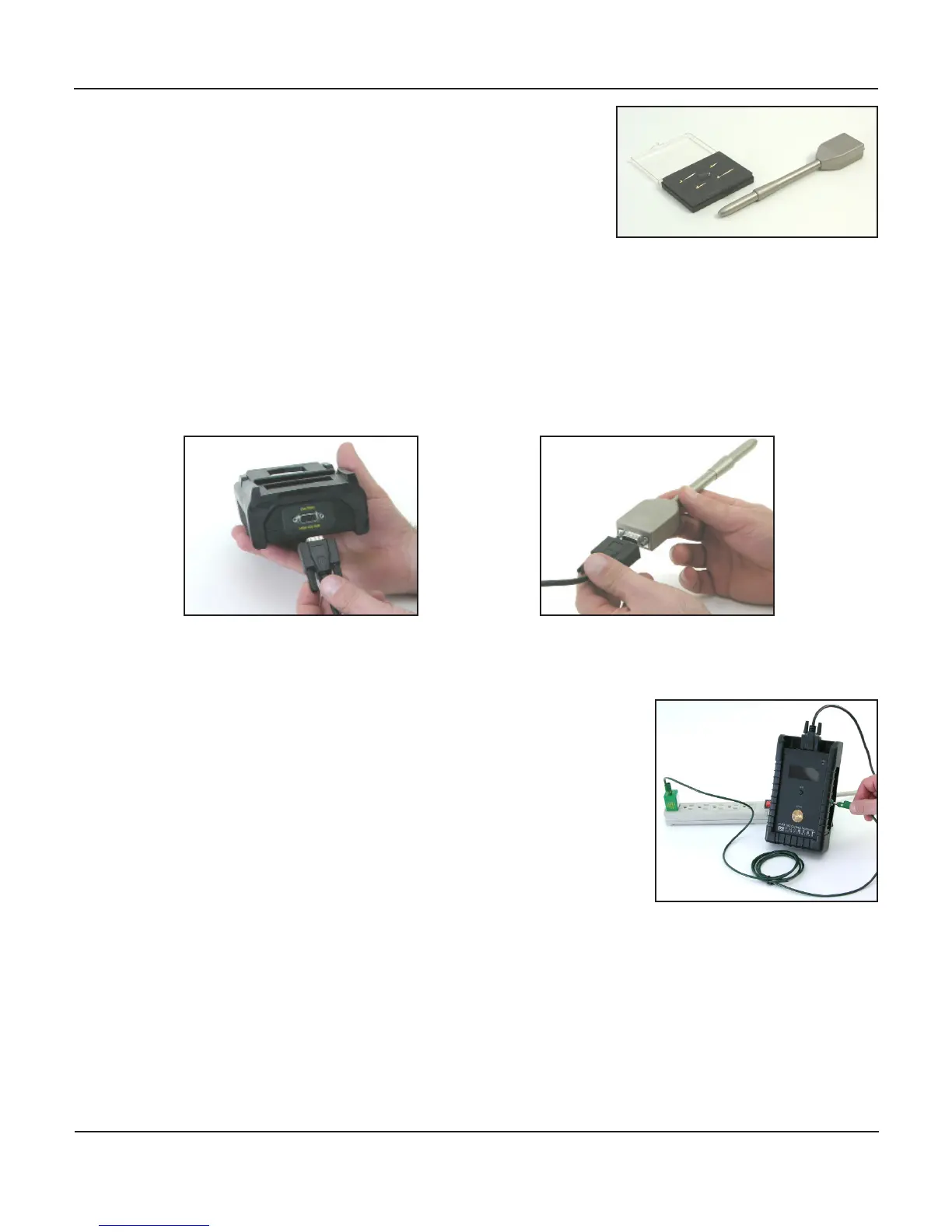
11. Always replace probe p cover to prevent damage to ps
and to avoid personal injury when
a. probe is not actually in use
b. during transport
c. While in storage.
L. Connect the Probe and Meter assemblies using the DB-9 cable
a. Carefully insert the 9 pin cable/meter connectors to the meter front end panel and to the
probe connecon box. Secure them in posion with the installed thumb screws. Do not
over ghten.
b. Insure the DB-9 cable is not twisted or kinked
Avoid tangling or catching the cable on foreign or moving objects during use
M. Connect the CVM-780 to an earth ground
a. Insert the Green ground wire banana in the green Ground
receptacle located on the side panel of the Meter assem-
bly.
b. Connect the free end of the ground wire to ground using
the supplied grounding block or alligator clip
the CVM-780 must be connected to an approved ground
for proper operaon and accurate measurements
Avoid tangling or catching the ground wire on foreign
OR MOVING objects during use
The operator is grounded during normal operaons while holding the probe assembly.
Do not make contact with, or touch energized circuits with your free hand or the probe p
assembly


 To Next Page