15 Manual & Installer Guide
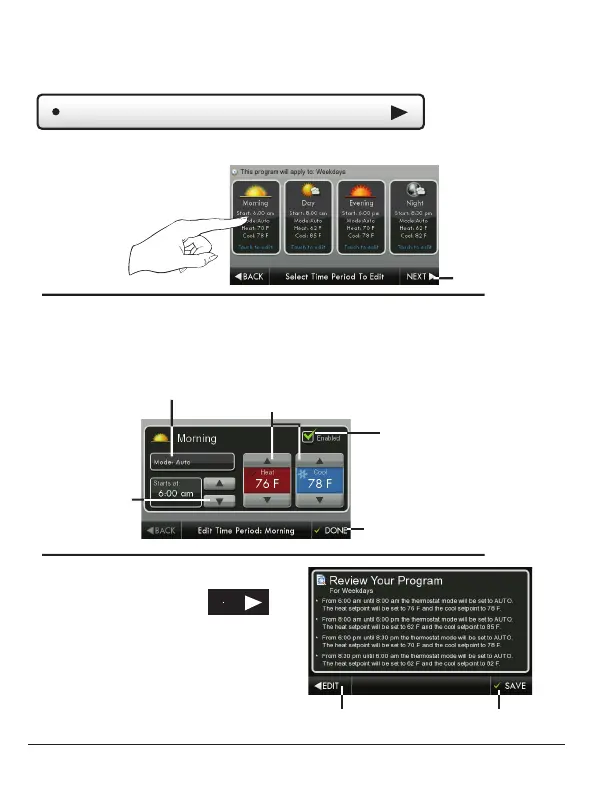
Review your program.
Press SAVE to keep your program.
Press EDIT to make further changes.
When you are finished editing the
four time periods press
Press and select a Time Period (Morning, Day, Evening, or Night) to edit.
Edit My Schedule
(Continued)
Adjust Mode, Start Time, and Heat and Cool Setpoints to desired sett
Save
Edit
Next
The Time Period may also be Enabled or Disabled. Un-check the Enabled
box for Time Periods you don’t want to use. Press DONE when finished.
Mode
Start Time
Done
Enable/Disable
Time Period
Heat and Cool Setpoints
NEXT
Main Menu Buttons – Schedule



 To Next Page