Manual & Installer Guide 46
Automated Demand Response
Utility and Program setup must be done at the Skyport Cloud Services account.
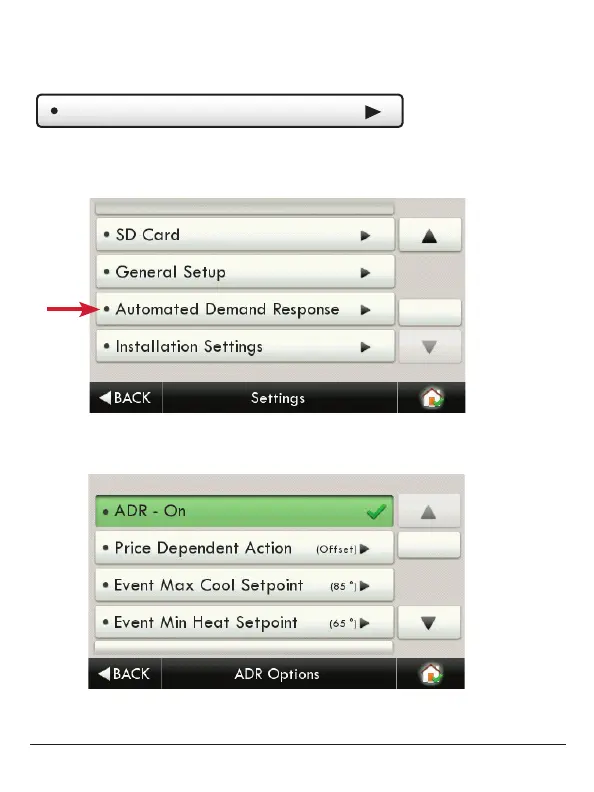
From the thermostat Home Screen, press the ‘Menu’ button, then select ‘Settings”.
From the above screen the ‘Automated Demand Response’ button is pressed.
By selecting ADR – On, the user can participate in ADR events
triggered by their utility, or price dependent events.
Main Menu Buttons – Settings



 To Next Page