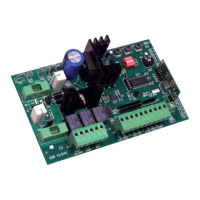
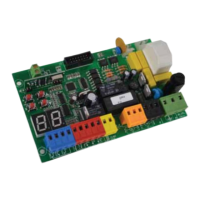
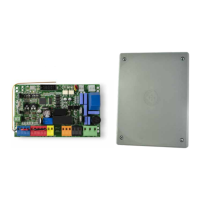
Q45 4
PROTECO S.r.l.
Via Neive, 77 - 12050 Castagnito (CN) ITALY Tel. +39 0173 210111 - Fax +39 0173 210199 info@proteco.net - www.proteco.net
To disabled the AUTOMATIC CLOSING function, please follow the procedure here below:
1) Close the rolling shutter and power the control panel on.
Then press SET key once: DL1 will flash to confirm that the control panel is now on programming mode.
2) Press and hold BREAK key on the control panel until DL1 light stops blinking and stays on still.
Now release the key, the control panel automatically exits form the programming mode.
DL1 light remains on still.
4.4 RADIO CODING
The control panel can store up to 10 different radio codes.
Please follow this procedure to save a radio code on the control panel:
1) Close the rolling shutter and power the control panel on.
Then press SET key once: DL1 will flash to confirm that the control panel is now on programming mode.
2) Press and hold the remote control’s key until DL1 light stops blinking and stays on still.
3) The radio code is now stored and the control panel will automatically exit from the programming mode.
DL1 light stops blinking and stays on still.
Please follow the same procedure to store further radio codes (maximum 10).
To delete all radio codes previously stored, please follow the procedure here below:
1) Close the rolling shutter and power the control panel on.
Then press and hold the SET key on the control panel until DL1 light turns off (about 10 seconds)
2) Now release SET key: DL1 will turn on again and stays still.
All radio codes have been deleted and the control panel returns to stand-by mode.
5. COMMISSIONING and TROUBLE-SHOOTING
Once all electrical and safety devices have been wired (push buttons, photocells, flashing light, etc.) power the
control panel and make sure that DL1 light is on.
If it is not, please:
- Check main power supply wiring on terminals 1 and 2;
- Check for burnt fuses and, if needed, replace them with same capacity new ones
Check the motor working keeping in mind that the control panel will perform opening as first movement.
If not used, Normally Closed contacts (for photocells and stop-button) need a jumper to plug 9 (common).
Instruct end-user about the controls and correct use of the electric shutter.
Also inform end-users about safety devices and danger involved when using the automation.
Fill in the technical file for the installation and fulfill any obligations required by regulations in force.
6. DISPOSAL
Do not pollute the environment
Some electronic components may contain polluting substances.
Ensure materials are passed to the authorised collection centres, according to the laws and the regulations on
force, for safe disposal.


 To Next Page
 Loading...