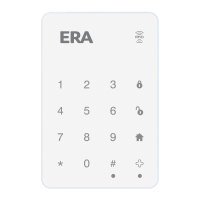
RESETTING YOUR KEYPAD
Press the Hard reset button on the back of your
keypad for 5 seconds. Once reset, the passcode
will be set to 1234, and the admin code to 123456.
SPECIFICATION
Power Supply AAA 1.5V 1200mAh Alkaline Battery x6
Static Current <100uA
Transmitting Current <100mA
Transmitting Distance <150m (in open area)
Battery Life 12 months
Frequency 868MHz
Housing Material ABS Plastic
Operating Conditions -10
o
C ~ +55
o
C
Keypad Dimensions 90 x 140.9 x 15.6mm
Weight 110g
Page 15


 To Next Page