1 2 3
4 5 6
7 8
0
#
*
9
1 2 3
4 5 6
7 8
0
#
*
9
KEYPAD SETTINGS
ADDING RFID TAGS
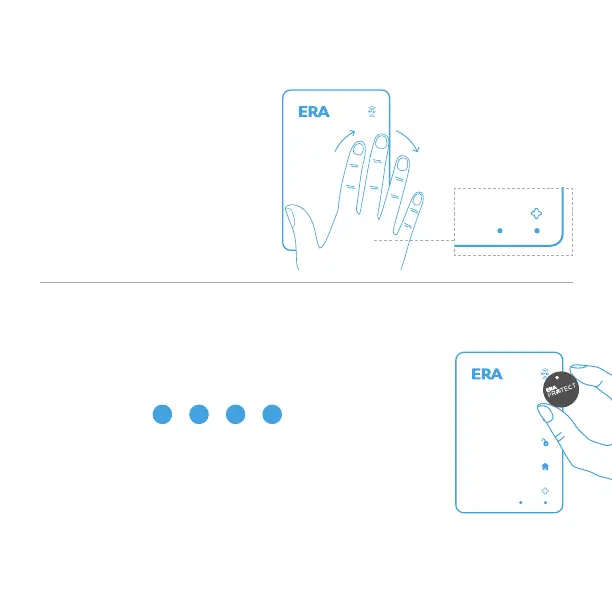
To change any settings, you
need to wake up the keypad,
by waving your hand in front
of both Presence Sensors.
You can add a maximum of 16 RFID tags to the keypad.
To add a RFID tag, please enter:
[Admin code] Place RFID tag
near RFID reader on the keypad
You will hear three short beeps to confirm the tag has
been added. If a continuous beep is heard for 2 seconds,
then that tag has previously been added to the keypad.
If the RFID tag is not added within 30 seconds,
the keypad will exit learning mode.
Default Passcode 1234
Default Admin Code 123456
0
#
> > > > >
#
*
1 #
Page 9


 To Next Page