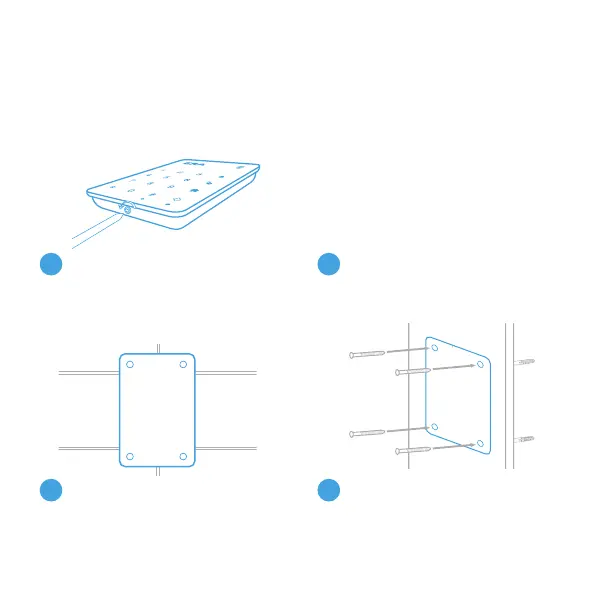
Loosen the screw from the
bottom of the keypad and remove
the front from the backplate.
1
INSTALLING YOUR KEYPAD
Using the appropriate drill bit,
drill the holes required to attach
the backplate.
At your chosen location – using
the backplate as your template,
mark your 4 fixing holes.
Attach the backplate, using
the appropriate wall plugs
and screws supplied.
Note: The 3M Pad can be used for an easier installation – please ensure that
the surface is clean and suitable.
2
3
4
Page 7


 To Next Page