KEYPAD SETTINGS
DELETING RFID TAGS
To delete individual RFID tags, enter:
[Admin code]
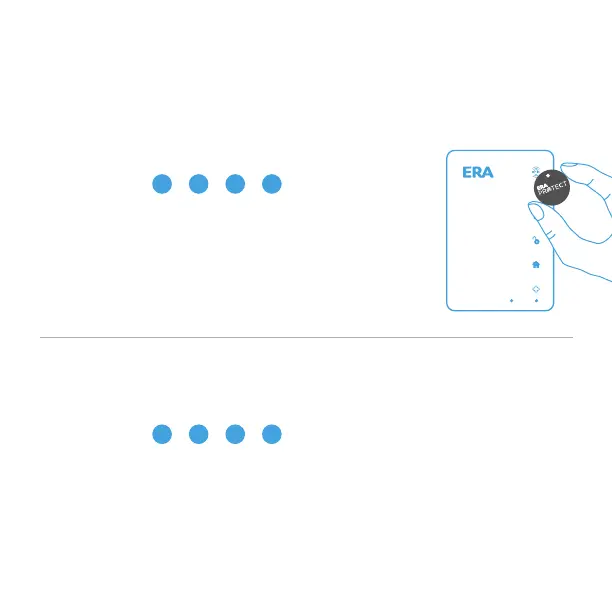
Place RFID tag near RFID reader on the keypad
You will hear three short beeps to confirm the tag has
been deleted. If a continuous beep is heard for 2 seconds,
then that tag has previously been deleted. If a tag is not
deleted within 30 seconds, the keypad will exit learning
mode.
>> > > >
#
*
2 #
1 2 3
4 5 6
7 8
0
#
*
9
DELETING ALL RFID TAGS
To delete all RFID tags, enter:
[Admin code]
You will hear three short beeps to confirm that all RFID tags have been
deleted from the keypad.
> > > >
#
*
3 #
Page 10


 To Next Page