4 4
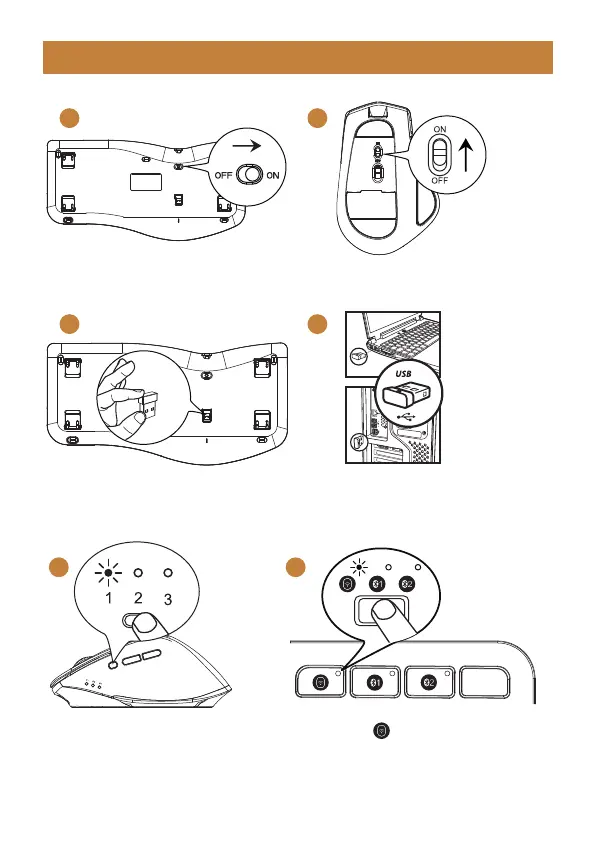
4. Press the mode switch button on
the left of the mouse to channel 1,
the 2.4G indicator will be on, now
the mouse is in 2.4G mode.
4. Press key to switch to 2.4G
channel, the white indicator will
flash slowly, the keyboard now is in
2.4G mode.
2.4G USB Connection
1 1
2 3
1. Switch the keyboard ON.
2. Take out the USB receiver.
1. Switch the Mouse ON.
3. Plug it into a USB port on your
computer.
- 4 -



 To Next Page