How to Switch Mouse Device Channels
How to Switch Keyboard Device Channels
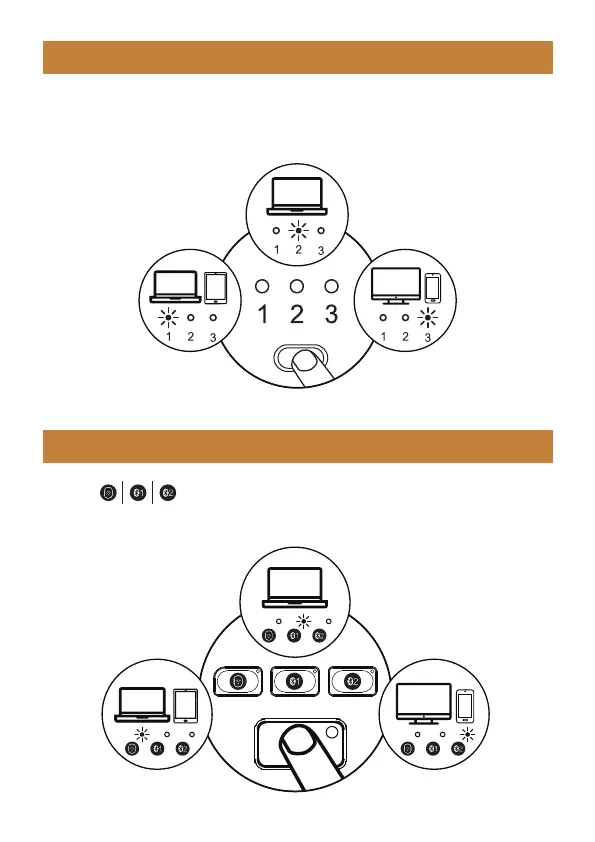
After BT1, BT2 and 2.4G USB mode is connected, press the mode switch
button on the left side of the mouse to switch between multiple devices.
After are connected, press the corresponding channel key to
switch between devices.
BT 1 Device Channel
BT 1 Device Channel
BT 2 Device
Channel
2.4G USB
Device Channel
BT 2 Device
Channel
2.4G USB
Device Channel
- 7 -



 To Next Page