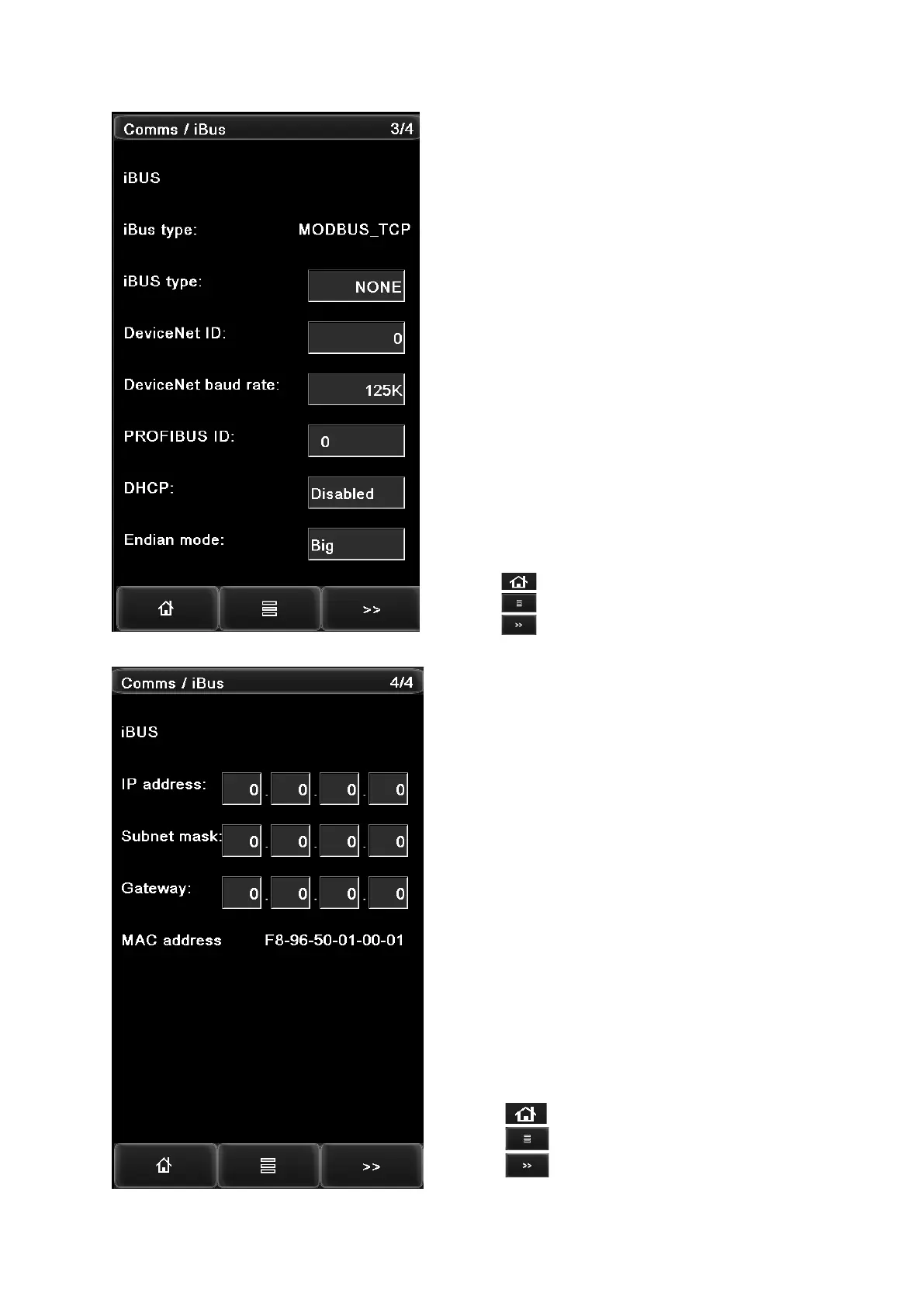
- Select the industrial communication bus type.
Note that if the iBUS type is changed, the gauge must
be reboot to take effect.
- Set the device ID of the gauge.
- Select the DeviceNet baud rate from options: 125K; 250K;
500K.
- Set the Profibus ID of the gauge then click the “OK” button
to confirm.
- Enable or disable the DHCP function.
- Set the Endian mode.
Press the button to return to the home page.
Press the button to access the function menu page.
Press the button to advance to the next page.
- Enter the gauge IP address.
- Enter the subnet mask of the network.
- Enter the gateway IP address of the network.
Press the button to return to the home page.
Press the button to access the function menu page.
Press the button to advance to the next page.


 To Next Page