Page 35 Thursday, September 22, 2005 10:22 AM
guring the
Player
Configuraci6n del
Reproductor
Configuration du
lecteur
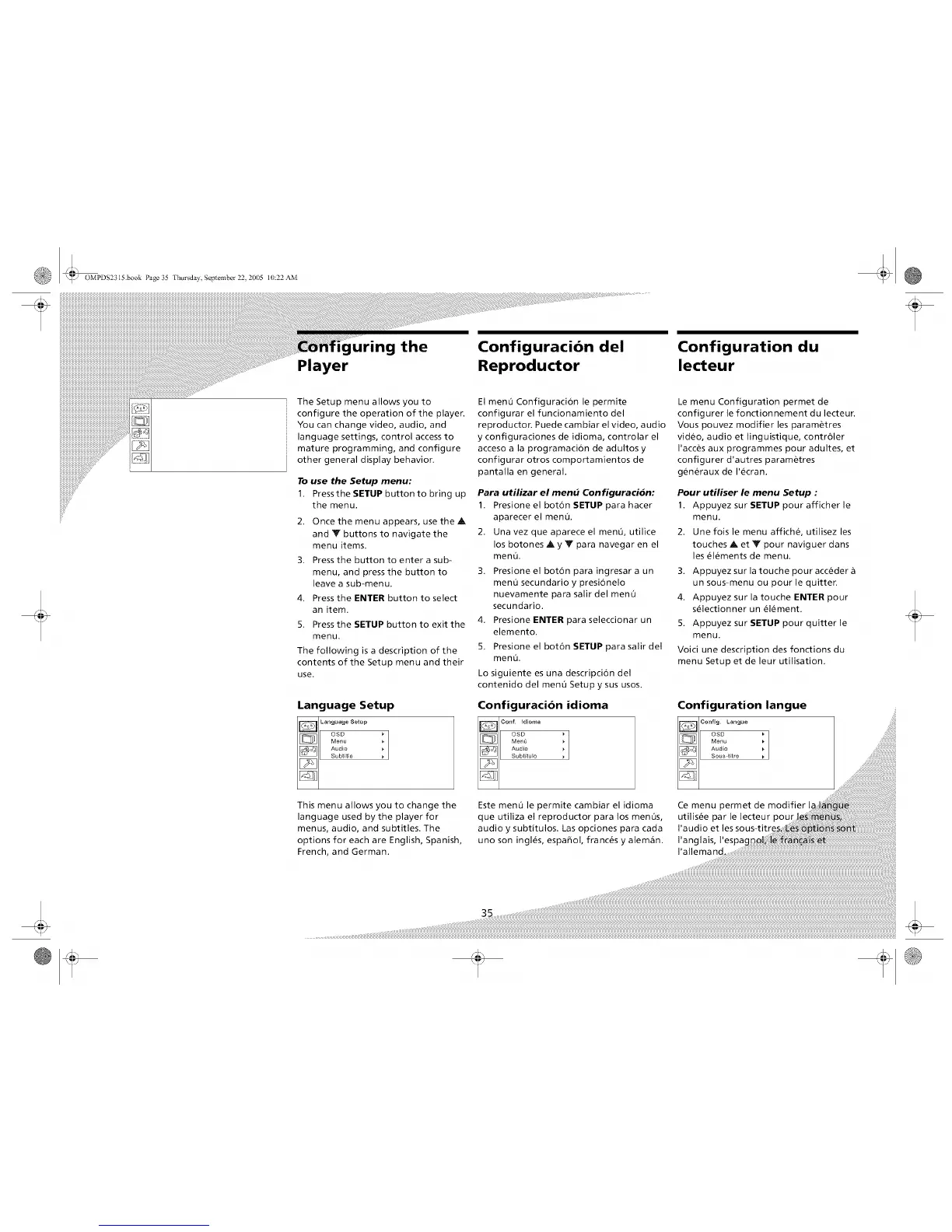
The Setup menu allows you to
configure the operation of the player.
You can change video, audio, and
language settings, control access to
mature programming, and configure
other general display behavior.
To use the Setup menu:
1. Press the SETUP button to bring up
the menu.
2. Once the menu appears, use the A
and V buttons to navigate the
menu items.
3. Press the button to enter a sub-
menu, and press the button to
leave a sub-menu.
4. Press the ENTER button to select
an item.
5. Press the SETUP button to exit the
menu.
The following is a description of the
contents of the Setup menu and their
use.
Language Setup
El menO Configuraci6n le permite
configurar el funcionamiento del
reproductor. Puede cambiar el video, audio
y configuraciones de idioma, controlar el
acceso a la programaci6n de adultos y
configurar otros comportamientos de
pantalla en general.
Para utilizar el mend Configuracidn:
1. Presione el boton SETUP para hacer
aparecer el men0.
2. Una vez que aparece el menO, utilice
los botones A y Y para navegar en el
men&
3. Presione el boton para ingresar a un
menO secundario y presionelo
nuevamente para salir del menu
secundario.
4. Presione ENTER para seleccionar un
elemento.
5. Presione el boton SETUP para salir del
men&
Lo siguiente es una descripcion del
contenido del men0 Setup y sus usos.
Configuration idioma
Conf Idioma
oso i
Men0
Audio
SubtituJo
Le menu Configuration permet de
configurer le fonctionnement du lecteur.
Vous pouvez modifier les parametres
video, audio et linguistique, contr61er
I'acces aux programmes pour adultes, et
configurer d'autres parametres
generaux de I'_cran.
Pour utiliser le menu Setup :
1. Appuyez sur SETUP pour afficher le
menu.
2. Une fois le menu affiche, utilisez les
touches A et Y pour naviguer dans
les _l_ments de menu,
3. Appuyez sur la touche pour acceder
un sous-menu ou pour le quitter.
4. Appuyez sur la touche ENTER pour
s_lectionner un _lement.
5. Appuyez sur SETUP pour quitter le
menu.
Voici une description des fonctions du
menu Setup et de leur utilisation.
Configuration langue
This menu allows you to change the
language used by the player for
menus, audio, and subtitles. The
options for each are English, Spanish,
French, and German.
Este menu le permite cambiar el idioma Ce menu permet de modifier h
que utiliza el reproductor para los menOs, utilis_e par le lecteur pour
audio y subtitulos. Las opciones para cada
uno son ingles, espafiol, franc_s y alem_n. I'anglais I'espa_
I'allemand ...................................................................................................................................................


 To Next Page