WPS
WPS (Wi-Fi Protected Setup) provide a more intuitive way of wireless configuration
between your device and the wireless client. Please make sure that the Wi-Fi-enabled
devices you want to connect support this function.
Enable WPS firstly before you want to use it.
If you select the “PIN” way, input the client’s PIN to the "Client PIN" frame.
If you select the “PBC” way, press the "WPS" button on wireless device in 120
seconds to establish WPS connection after you have pressed the "Wi-Fi/WPS" button
on your device or clicked "Save".
Click "Save" to save your settings and start connecting when you select PIN or PBC
way. You can also choose "No Connection" and click "Save" to save your settings
without connecting.
Make sure SIM has been inserted before you start internet settings.
Network Settings
In the part of Network settings, you can configure the network mode and network
selection .
In “Network mode” setting, you should select the rule for registering the network. The
default selection is “Automatic”.
The default Network Selection mode is “Automatic”. When click “Manual”, a network
list will be activated, containing all searched networks. Having selected an available
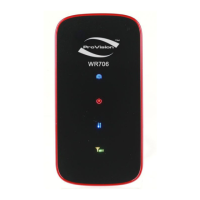
network from the list, WR706
will register to the selected network.
Connection Settings
In the part of connection settings, you can configure the connect mode and profile.
This device supports “Auto”, “Manual” and “Dial Demand” way to connect to the
internet. You can modify the mode in connection settings part in Internet,
If “Auto” is selected, the automatic connection will be applied after reboot or input
the Card again.
If “Manual” is selected, you can control the connection via clicking
“Connect/Disconnect” in the home page.
If “Dial Demand" is selected, it will not connect to network until it detects the
connection from LAN or Wi-Fi. And the device will disconnect automatically when
there is no connection in a period of time (10 minutes default) after connecting.
And in the profile list, you will see the default and other APN configuration. An APN
(Access Point Name) is a reference to the Internet access point on. Different APNs for


 To Next Page