EasyManua.ls Logo

Provision WR706 - 1. Overview; 1.1 Introduction; Indicator Description

Provision WR706
22 pages
Print Icon
To Next Page IconTo Next Page
To Previous Page IconTo Previous Page
Loading...
3
1.Overview
WR706
Wi-Fi-enabled device and to fulfill needs of sharing your internet connection during
outside home.
1.1
Introduction
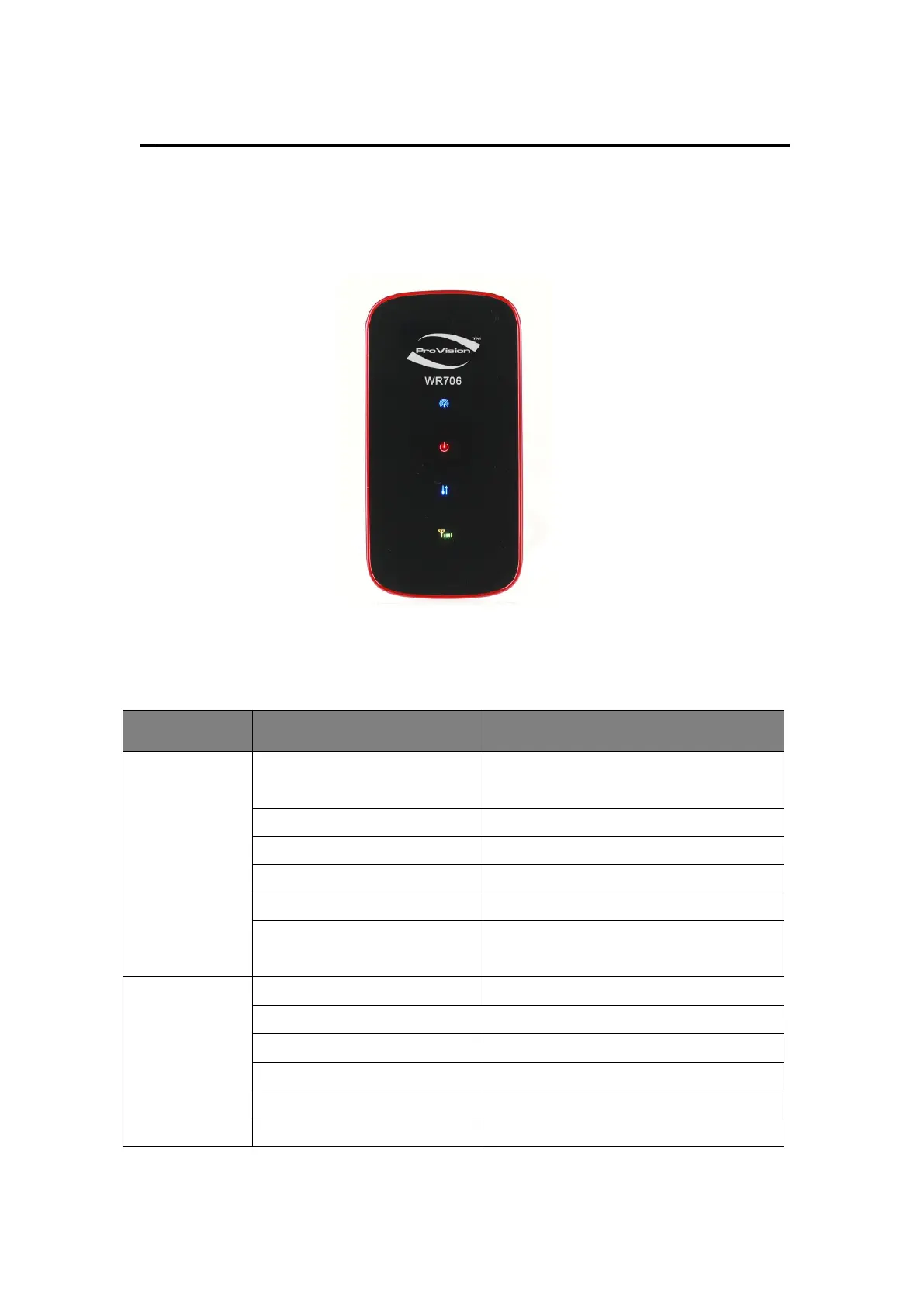
Indicator Description
Fig 1.1
The device is equipped with four LED status indicators (Fig 1.1) including:
Indicator
Status
Description
1. Signal
Keep Red
SIM error, PIN verification failed or no
signal.
Keep Yellow
Weak signal
Keep Green
Good signal
Keep Blue
Roaming and good signal
Blue and flashing slowly
Roaming but poor signal
Unlit
power off, normal working mode or
Sleeping Mode
2. Network
Keep Red
no network
Green and flashing fast
dialling
Green and flashing slowly
registering to 2G network
Keep Green
connected to 2G network
Blue and flashing slowly
registering to 3G network
Keep Blue
connected to 3G network