
 Need help?
Do you have a question about the Provision WR706 and is the answer not in the manual?
Avoid using device where prohibited, near medical equipment, or in aircraft.
Protect from strong magnetic fields, extreme temperatures, shock, water, and flammable gases.
Keep away from children; use approved batteries/chargers.
Observe laws, respect privacy, and use within specified temperature/humidity.
Overview of the 3G Mobile WiFi Router's functionality and purpose.
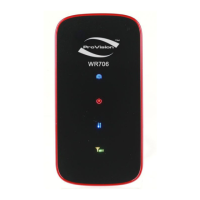
Explains the meaning of LED status indicators for signal, network, and power.
Details the functions of the Power/Connect and Wi-Fi/WPS buttons.
Lists minimum hardware and software specifications for device operation.
Step-by-step guide for inserting SIM, battery, and connecting the device.
Covers powering on, entering sleeping mode, and logging into the configuration interface.
Instructions for restarting the device or performing a full power off.
Configure administrator password and Wi-Fi network name (SSID).
Select WEP, WPA, or WPA2 security types and set passwords.
Enable Wi-Fi Protected Setup for simplified wireless connection.
Configure Wi-Fi interface, SSID, channel, user limits, and broadcast settings.
Manage wireless security encryption and control access via MAC filtering.
Configure network mode, selection, connection profiles, and SIM PIN lock.
Set up LAN IP, subnet mask, DHCP server, and static IP assignments.
Filter network access by IP/URL and view connected devices.
Configure UPnP for device connectivity and VPN for secure network tunnels.
Enable file sharing via web browser or USB access for SD card content.
Manage language, power-saving, password, and system logs.
Reset to defaults, backup, restore settings, and view system logs.
Avoid interference with sensitive electronics and follow hospital usage rules.
Protect from magnetic fields, extreme temperatures, shock, and water/moisture.
Keep device out of reach, prevent unsupervised use, ingestion, or choking hazards.
Avoid dusty, damp, magnetic places; do not use outdoors during thunderstorms.
Instructions for safe cleaning and when to seek professional service.
 General
| Brand | Provision |
|---|---|
| Model | WR706 |
| Category | Wireless Router |
| Language | English |

 To Next Page