
 Need help?
Do you have a question about the Prusa Research Original Prusa MK4 and is the answer not in the manual?
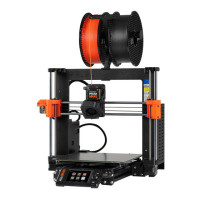
Next-generation extruder with Loadcell tech for precise first layer calibration.
Features a 32-bit xBuddy board for improved performance and safety features.
Instructions for safely unpacking and positioning your new Prusa MK4 printer.
List of items included in the printer package and recommended accessories.
Overview of the printer's interface and how to navigate using the rotary knob.
Guide to the Selftest calibration wizard for initial printer setup and checks.
Steps for loading filament and successfully starting your first print job.
Solutions for common problems encountered during the first print.
Detailed explanation of the PrusaSlicer interface and its features.
Final checks in preview mode and exporting G-code for printing.
Overview of PLA's advantages, disadvantages, and typical uses.
Details on PETG material, including temperature and adhesion recommendations.
Cleaning and care instructions for various types of flexible print sheets.
Procedures for cleaning and maintaining the extruder and nozzle.
Solutions for issues with the automatic first layer calibration process.
Troubleshooting steps if the printer does not recognize the inserted USB drive.
 General
| Layer Height | 0.05 - 0.35 mm |
|---|---|
| Filament Diameter | 1.75 mm |
| Max Nozzle Temperature | 300 °C |
| Max Bed Temperature | 120 °C |
| Operating Voltage | 24 V |
| Nozzle Diameter | 0.4 mm (standard) |
| Filament Compatibility | PLA, PETG, ASA, ABS |
| Connectivity | USB, Ethernet |
| Frame Material | Steel and aluminum |
| Print Bed | PEI surface |
| Display | 3.5" LCD |
| Firmware | Prusa Firmware |
| Electronics | 32-bit |
| Print Technology | FDM (Fused Deposition Modeling) |
| Power Supply | 24V |
| Dimensions (W × D × H) | 500 x 550 x 400 mm |
| Extruder Type | Nextruder |













 To Next Page