Stellar Strata Amplier
Operation Guide
®
15
Menu Features e Stellar Strata Amplier features a menu display system that is accessible using the small
selector button and the large silver knob. It’s a good idea to familiarize yourself with the dierent
functions in the Stellar Strata Amplier’s menu. To access the menu, simply press and hold the
menu button to the le of the display. A gear icon will appear in the upper right corner showing
that you are in the Settings menu.
Exiting the Menus
Executing a long press of the menu button (holding for more than two seconds) will exit the
menus and return the unit to the Home screen. e menus will also timeout aer seven seconds.
Note that settings are typically saved in real time as the changes are made.
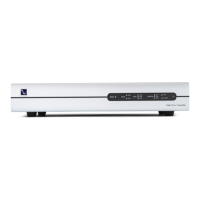
Balance
e Balance feature allows you to adjust the center location of the stereo image. Turning the knob
to the le will reduce the gain of the right channel, thus making the image to come more from
the le channel, and vice-versa. e balance steps are each 1/4dB and the range is 48 steps each
way for a maximum shi of 12dB.
When the balance is set to anything other than the center position, there will be an icon on the
Home screen to indicate this state.
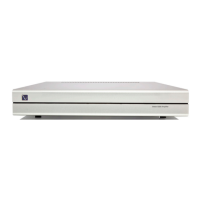
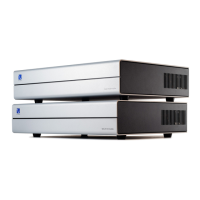
Phase
e phase feature allows you to invert the signal from the digital inputs. (It does not aect the
analog sources) Turning the knob will change the absolute polarity of the signal from “Norm”
(Normal) to “Inv” (Inverted). is can be useful when listening to certain source material which
may have inverted absolute polarity. NOTE: Some listeners are more sensitive to absolute polarity
than others.


 To Next Page