Stellar Strata Amplier
Operation Guide
®
23
Menu Features
(Continued)
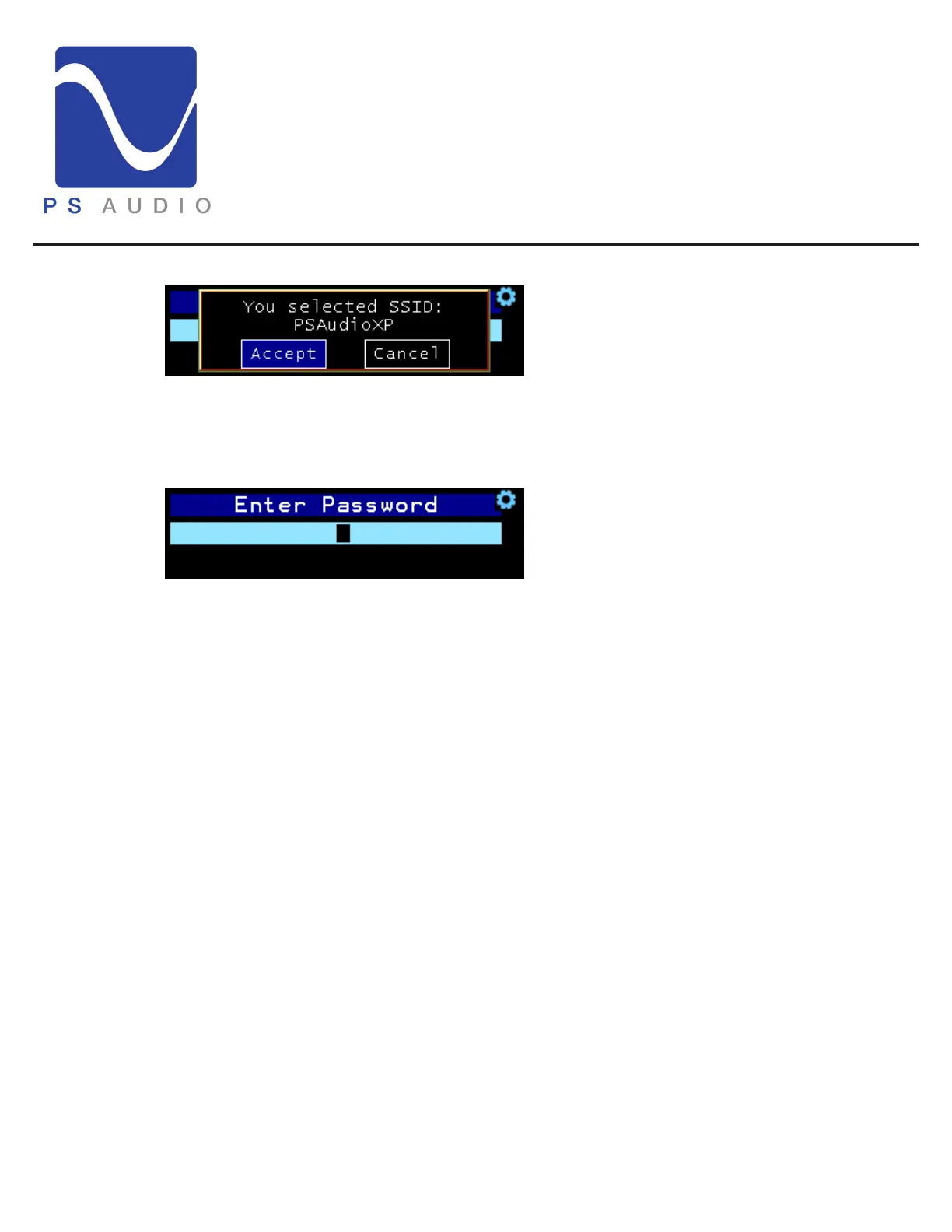
SSID accept screen
Available network resources are identied by their SSID. Rotate the volume knob to Accept or
Cancel the AP SSID selection
Password screen
Rotate the volume knob to nd each character. Press the menu select button to select the
character. Double-press the menu select button to backup one character. Once the last character
is entered long press the menu select button to save the password. e Strata will connect to your
AP.
e characters are arranged by capital letters, lower case letters number 1-9, then 0. e character
aer the 0 is a space character. e remaining characters are special characters (!, @, #, etc...).
It may be faster to nd the number characters by going backwards from the A.


 To Next Page