Computer Graphics (VGA)/Stereo Audio Matrix Switcher
7.2 Command Format of the Switching Operation
With the front control panel, the switcher could be control directly and rapidly by pressing the buttons
under below format.
“Menu” +“Input Channel” +“Output Channel 1”
“Menu”: “AV”, “Audio”, “Video”
“Input Channel”: Fill with the number of input channel to be controlled
“Output Channel”: Fill with the number of output channels to be controlled
7.3 Examples of Operation
Example 1:To transfer video and audio signals from input channel No.1 to output channel
No.3,4
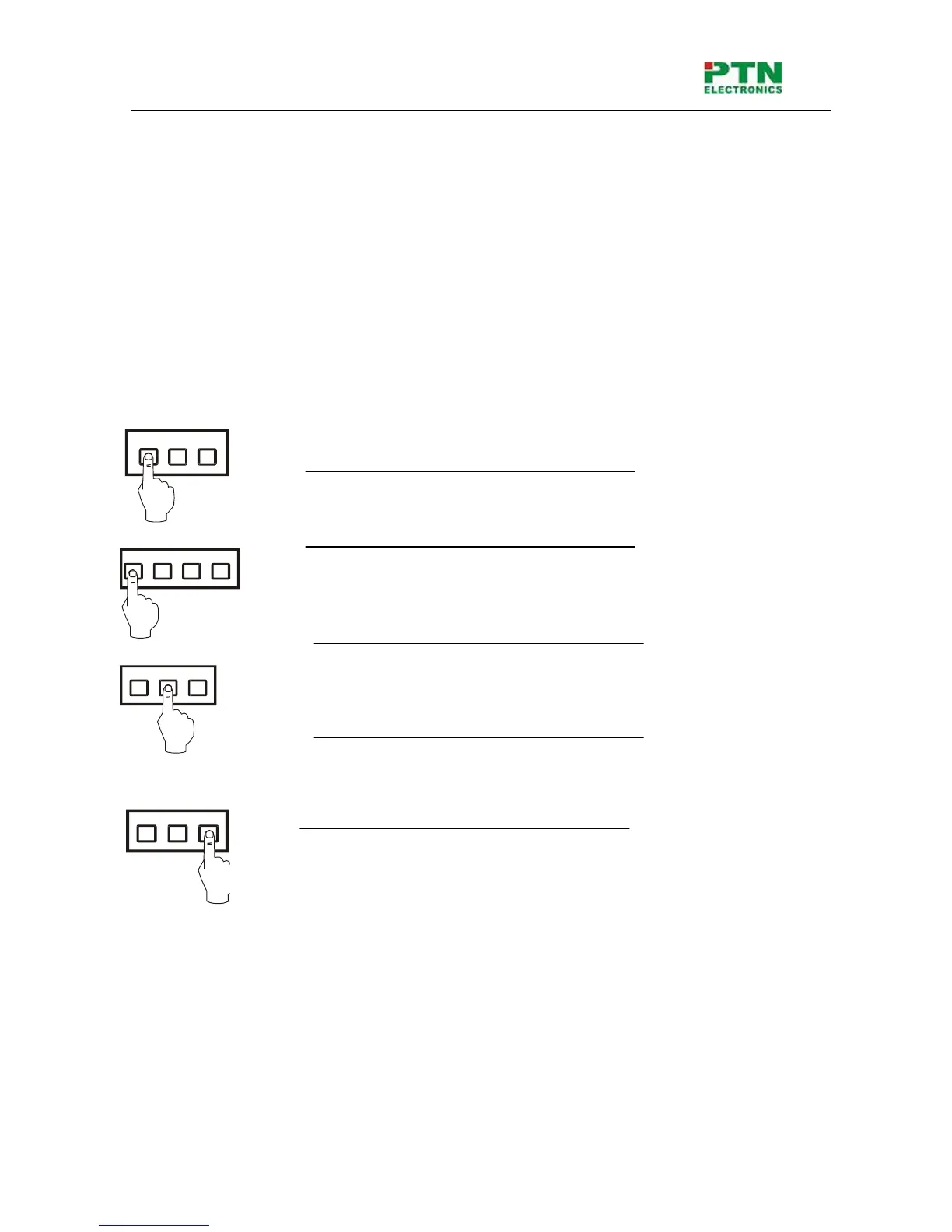
1, Press the button for switching mode “AV” for the switching mode of video
and audio (“Audio” for the switching mode of audio only; “Video” for the
switching mode of video only)
2, Press the button for input channel number“1”
3,Press the button for the first output channel number “3”
4, Press the button for the second output channel number “4”
Then, switching OK ! audio/video switching from “1” to “3” and “4”
1 3 42
AV AudioVideo
3 42
3 42


 To Next Page