Computer Graphics (VGA)/Stereo Audio Matrix Switcher
F 6-1 Connection between MVG matrix switcher and the computer
6.3 How to Connect with the Input and Output Terminals
The MVG matrix switchers may take laptops, desktop computers, graphic workstations and document
cameras as their input signal source, and projectors, RP TVs, displayers and amplifiers as their output
signal destinations.
VGA Connection:
The MVG matrix switchers support all kinds of the RGB and VGA signal sources with 15-PIN HD VGA
connectors.
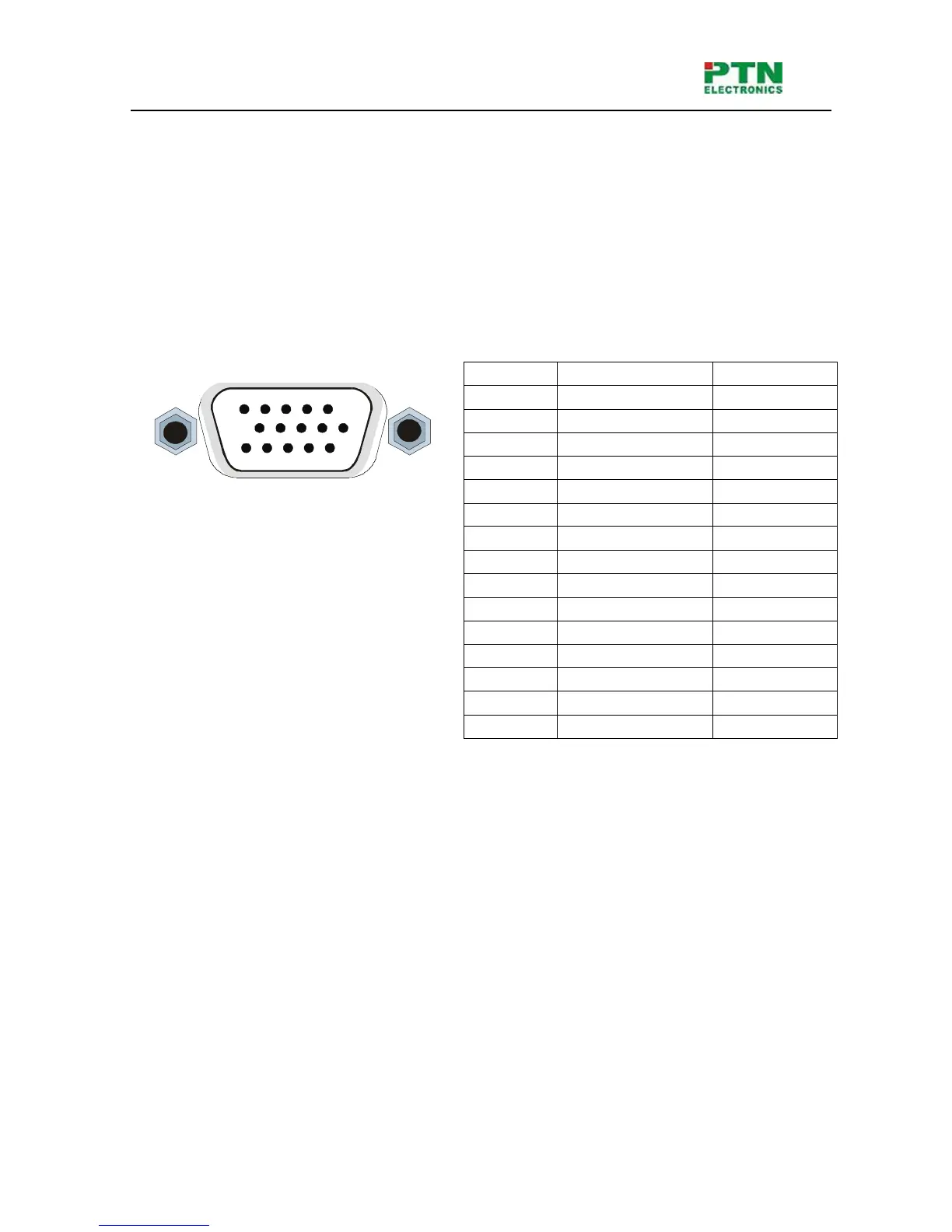
The 15-PIN HD VGA connector is shown as the figure below.
Pin RGB YcbCr
1 R Cr
2 G Y
3 B Cb
4 Not used
5 Ground
6 R ground Cr ground
7 G ground Y ground
8 B ground Cb ground
9 Not used
10 Sync signal ground
11 Not used
12 Not used
13 H or H/V
14 V
15 Not used
F 6-2 15-PIN HD VGA connector
If the RGB device doesn’t with VGA output terminals, please convert the signals with an RGB to VGA
switcher for getting high quality VGA output effects.
Please use the special VGA signal cord to connect the input and output devices and connect the 15-Pin
HD connectors carefully.
Audio Signal Connection:
Audio connection is little complicated than video. It has two kinds of connection: balanced and
unbalanced.
The balanced connection transmits a pair of balanced signals with two signal cords. Because
interferences will have the same intensity and the opposite phases on the two signal cords, it will be
counteracted in the end. For the low frequency extent of the audio signal, it would be easily interfered
under long distance transmission. Therefore,as an anti-interference connection , it is mostly used in
audio connection of special device.
The unbalanced connection transmits signals only with a signal cord. Without counteraction, it can be
interfered more easily. Accordingly, it is adopted for household appliance or some cases with low
technical demand.
The two kinds of connection are shown below.
15
6
10
1115


 To Next Page