To alter the on time OnTime select the left DOWN or right UP
buttons. When the desired on time has been entered enter the
middle SET button. In this example the on time is 150 milli seconds.
4
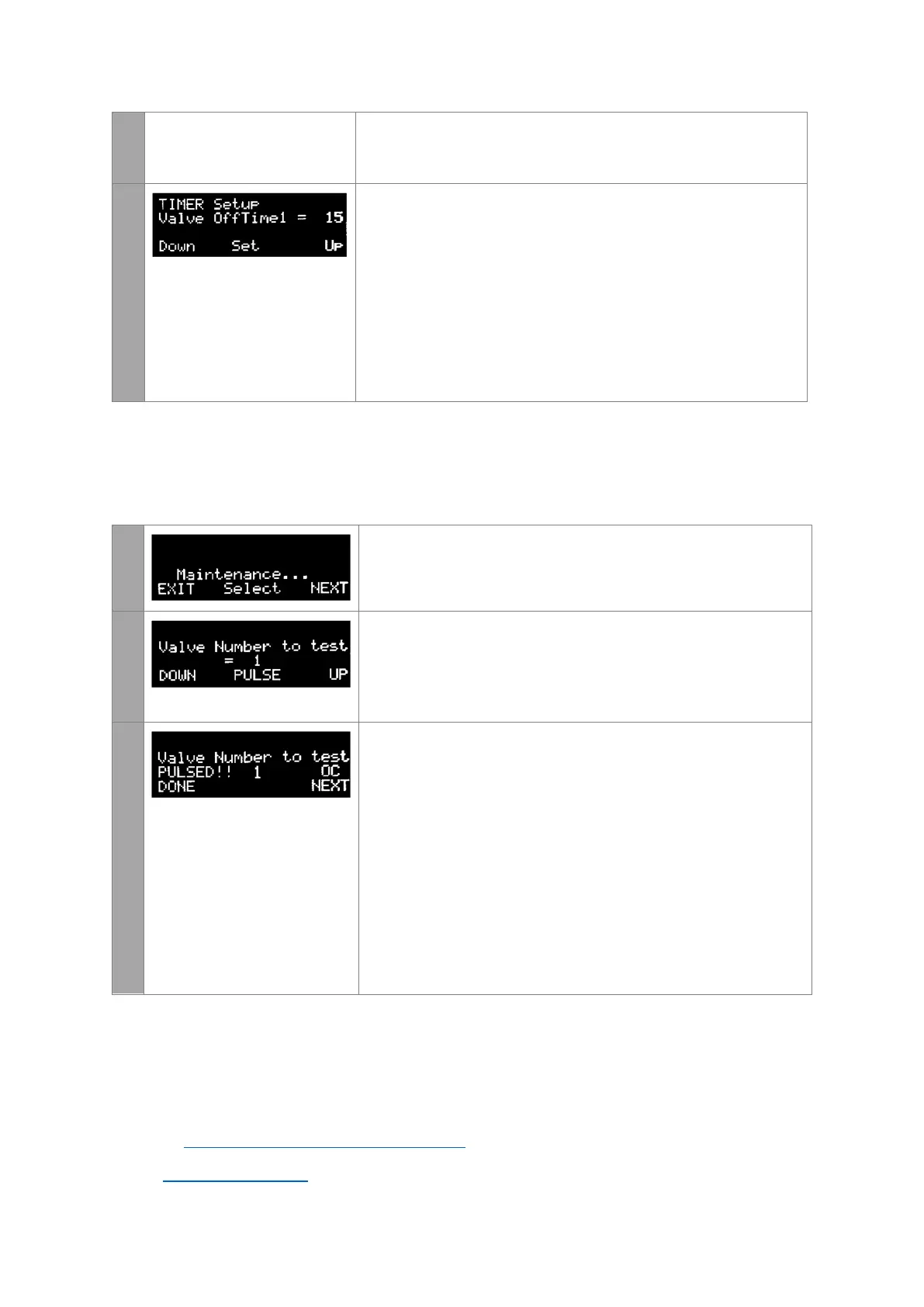
This page modifies the length of time between pulses. The interval
between pulses is user selectable in seconds (sec) and can be
between 1s to 999s in length.
OffTime1 - This is the off time used during normal
operation when the differential pressure is between Low
and Fast settings (see ODC section following)
To alter the off times, select the left DOWN or right UP buttons.
When the desired off time has been selected enter the middle SET
button. In this example the off time 1 is 15 seconds.
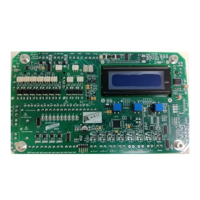
Maintenance Mode
Maintenance mode allows the user to manually pulse and test the valves. Keep pressing
NEXT until the Maintenance page is displayed.
1
To enter maintenance mode, select the middle SELECT button
2
This page allows the user to select the valve to test.
To select the valve to pulse, select the left DOWN or right UP
buttons. When the valve to be tested has been selected hit the
middle PULSE button to test the valve
3
This page shows the test result of the valve just pulsed.
The test result of the coil will be shown to the right of the PULSED!
text and will be one of the following three possibilities
OK – The solenoid valve is functioning correctly
SC – The solenoid valve is showing a short circuit. This could
mean the
OC – The solenoid valve is showing an open circuit. This
could mean the valve is not connected or the coil has burnt
out.
Enter DONE to return to the main menu or NEXT to test and pulse
another valve
Further Assistance Required?
If a full manual or further assistance is required then please contact PTronik
Tel: +61 2 4578 9611
Website: https://www.ptronik.com/contact-us
Email: sales@ptronik.com


 To Previous Page