EasyManua.ls Logo

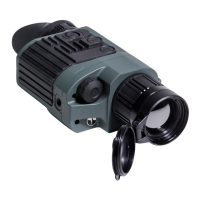
Pulsar Quantum LiteX Q23V - User Manual

Pulsar Quantum LiteX Q23V
9 pages
Print Icon
To Next Page IconTo Next Page
Loading...

Questions and Answers

  • M
    Mark ObrienAug 12, 2025
    Why is there no image when recording video from Pulsar Monocular?
    • M
      Melissa PerryAug 12, 2025
      If you're not getting an image when recording video signal from the Pulsar Monocular using an external video recorder, there could be two reasons: 1. The video output of the thermal imager is disabled. Activate the video output. 2. There is no connection. Ensure the video cable is securely connected.
  • S
    sweeneykathrynAug 19, 2025
    How to fix dark image on Pulsar Monocular?
    • M
      Mr. Jose LeeSep 12, 2025
      If the image on your Pulsar Monocular appears too dark, it's likely that the brightness or contrast level is set too low. You can adjust these settings by rotating the controller to increase the brightness and contrast until the image is clear.
  • T
    Tiffany KaufmanAug 27, 2025
    Why my Pulsar Quantum LiteX Q23V doesn't work? Batteries?
    • E
      Erika CantrellAug 27, 2025
      If your Pulsar Monocular is not working, the batteries may be fully exhausted or defective. Install fresh batteries to resolve this issue.
  • J
    Joanna MartinSep 4, 2025
    How to fix blurry image with stripes on Pulsar Quantum LiteX Q23V Monocular?
    • R
      Robert SmithSep 4, 2025
      If the image on your Pulsar Monocular is blurry, with vertical stripes and an uneven background, calibration is to be done.

Pulsar Quantum LiteX Q23V Specifications

General IconGeneral
Digital Zoom2x
Refresh Rate50 Hz
WaterproofIPX4
Display Resolution640x480 pixels
Weight350g
Diopter Adjustment-5 to +5
Battery TypeAA

Related product manuals