www.PyleUSA.com
7
P3P2
APP SETTING INSTUCTION
A. Download the APP and register
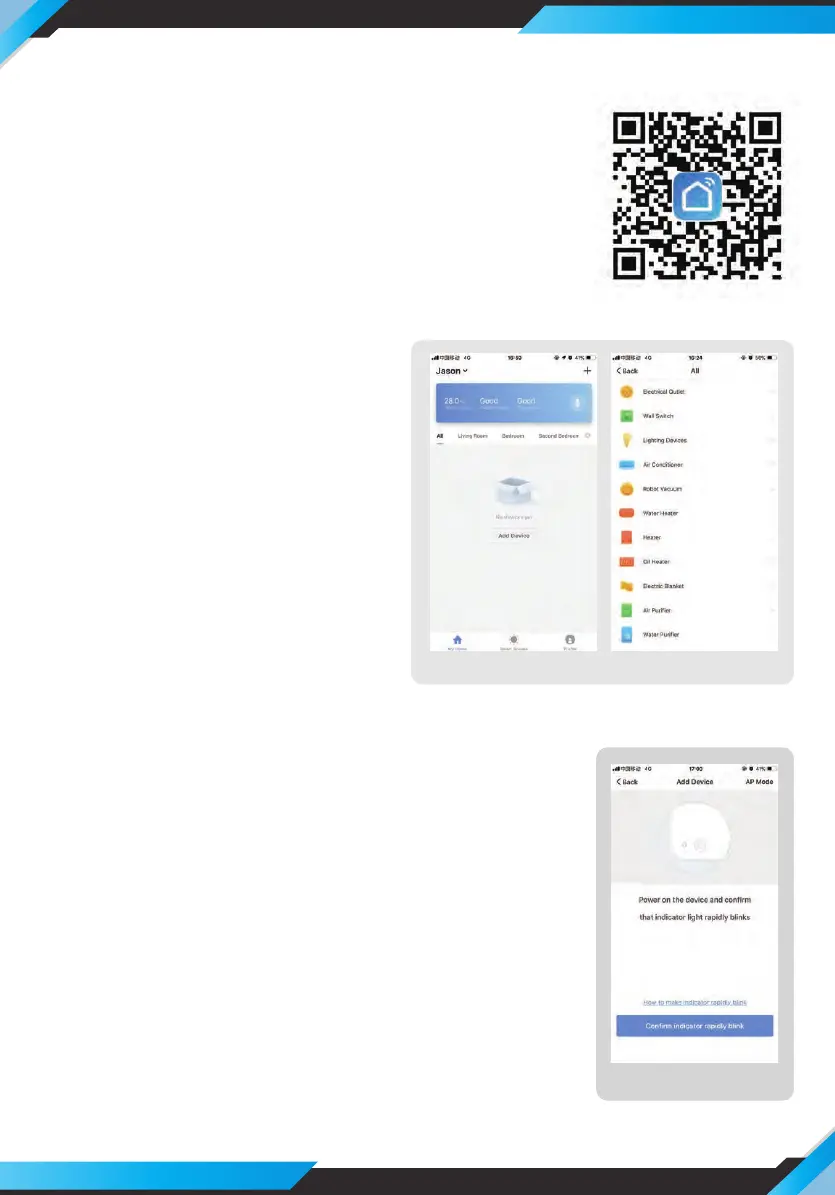
1. Please sacn the QR code of photo1 or search “Smart Life”
and download App .
2. After the App is installed, please following the App
instruction registered the account and login
B. Connect the device
1. After login, click ”add device” on
following app interface of photo 2.
2. Click ”+” and ”All” icon, then choose
”robot vacuum” from following app
interface of photo 3
C. Network Conguration
When the App interface show the following as photo 4,
duoble click the power button of device, during the
indicator is ashing, click “conrm indicator is ashing”
of following photo 4.
P4


 To Next Page