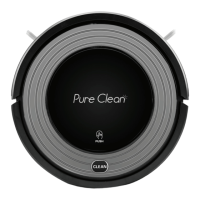
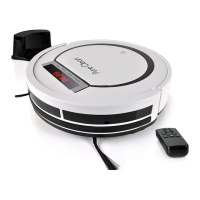
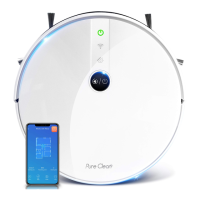
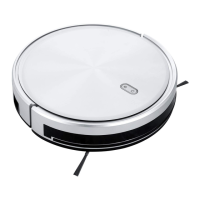
The Pure Clean PUCRC25 Mini Robotic Vacuum Cleaner is a revolutionary household helper designed to clean floor surfaces in homes and offices. This compact and efficient device is equipped with various functions to ensure thorough cleaning of wood, tile, and linoleum floors. Its primary function is to autonomously vacuum and clean, reducing the effort required for floor maintenance.
Function Description
The Pure Clean PUCRC25 operates as a mini robotic vacuum cleaner, capable of navigating and cleaning various floor types. It is designed for indoor use and is not suitable for outdoor environments or wet/moist conditions. The device features multiple cleaning modes, including Random, Spiral, and Along the wall, allowing it to adapt to different room layouts and cleaning needs. The Random mode enables the robot to move unpredictably across the floor, ensuring comprehensive coverage. In Spiral mode, the robot cleans in an expanding spiral pattern, ideal for concentrated dirt areas. The Along the wall mode allows the robot to clean along the edges of rooms, ensuring no corner is missed.
The vacuum cleaner is powered by a rechargeable battery, which provides sufficient operating time for cleaning tasks. It is equipped with side brushes that extend its reach, sweeping dirt and debris from edges and corners into the main vacuum intake. The main body includes an inner dustbin where collected dirt and dust are stored, along with a filter to capture fine particles. Anti-drop sensors are integrated into the design to prevent the robot from falling down stairs or off elevated surfaces, ensuring safe operation. A front wheel and main wheels facilitate movement and navigation across different floor types. The device also features a bumper to absorb minor impacts and protect both the robot and furniture.
Usage Features
Before initial use, it is crucial to remove any packing foam from behind the front bumper. The battery must be properly installed and fully charged. The charging process involves connecting the adapter to the DC jack on the robot and then plugging it into a power socket. A blue light will flash during charging and turn solid blue once fully charged. It is recommended to charge the robot for at least 3 hours for optimal performance and battery lifespan. When the battery is low, the LED indicator will turn red/purple, signaling that the device needs to be recharged. For the first use, it is advised to charge the robot for at least 8 hours. If the robot is not used for an extended period, the battery should be fully charged and removed, then stored in a well-ventilated and dry place. For storage longer than 3 months, recharge the robot for 8 hours using the adapter.
To start operation, the robot should be placed in a room with ample free space, and then powered on. The device will then begin its cleaning cycle according to its programmed modes. It is important to prepare the cleaning area by removing any loose articles such as clothes, paper, loose cables, or extension cords to prevent tangling. Curtains and drapes should also be lifted off the floor to avoid accidents. The robot is not intended for use by children or individuals with reduced physical, sensory, or mental capabilities without proper supervision and instruction. Children should not be allowed to play with the appliance.
The operating temperature range for the PUCRC25 is between 32°F and 104°F. It should not be used in high-temperature environments or under intense sunlight. During operation, all doors leading outside should be closed to prevent the robot from exiting the designated cleaning area. If the robot malfunctions or is damaged, it should not be operated, and the local dealer should be contacted for service information.
Maintenance Features
Regular maintenance is essential to ensure the longevity and optimal performance of the Pure Clean PUCRC25. Key maintenance tasks include cleaning the dustbin, filter, and intake, as well as inspecting the side brushes.
Cleaning the Dustbin:
- To access the dustbin, lift the upper cover near the power on/off button.
- Insert a finger into the dustbin groove and grip it to pull the dustbin out.
- Open the lid of the dustbin.
- Take out the inner filter.
- Empty the collected dirt and debris from the dustbin.
- Rinse the dustbin with tap water. It should not be washed in a washing machine, dishwasher, or any other machine.
- Periodically clean the filter using a soft bristle brush to remove accumulated dust.
- After cleaning, ensure the filter and dustbin lid are completely dry before reinstallation.
- Reinstall the filter and the dustbin lid, making sure the PE pad (which functions as a non-return valve) in the dustbin is well located.
- Put the dustbin back into the cleaner. Operating the product without the filter properly installed might cause malfunction.
Cleaning the Intake:
After repeated use, dirt and dust may accumulate around the intake of the product, which can affect its cleaning efficiency and airflow.
- Before cleaning the intake, remove the external power source.
- Clean up any dirt and dust accumulated at the intake.
Side Brush Installation and Maintenance:
The side brushes are crucial for sweeping debris. To install them, place the L side brush at the L position and the R side brush at the R position on the bottom of the robot, then push them to fix them in place. To remove them, pull them up. If a side brush becomes crooked or ineffective, it can often be restored by scalding it in hot water to help it regain its original shape.
Troubleshooting:
The manual provides a troubleshooting guide for common issues. For example, if the red LED stays on after power-on, it could indicate a low battery or that the main body has been picked up. The solutions are to recharge the battery or re-place the robot on the floor. If the vacuum is on but not collecting dirt, the dustbin might be full or the filter incorrectly installed, requiring cleaning of the dustbin and reinstallation of the filter. If the robot moves backward, it might be on dark-colored flooring or the anti-drop sensor light is covered, in which case placing it on light-colored flooring or cleaning the sensor light is recommended. If the blue LED flashes after 4 hours of charging, the power supply might have been cut off, requiring a full 4-hour charge. If the side brushes are crooked, scalding them in hot water can help. If the product doesn't start, check if batteries are installed properly, if the battery is low, or if the robot is in protection status. A battery reset (unplugging, holding power button for 10 seconds, then reconnecting) can also resolve some issues. If the robot moves in circles, a wire in the wheels might be loose, which may require sending the robot for repair.
Overall, the Pure Clean PUCRC25 is designed for ease of use and maintenance, providing an effective solution for automated floor cleaning.



 To Next Page
 General