To perfefct the products, we keep the right of updating the APP and the software.
The nal interface is subject to the actual products, thank you.
Figure 2 Figure 3
www.PyleUSA.com
3
WI-FI SETUP INSTRUCTIONS
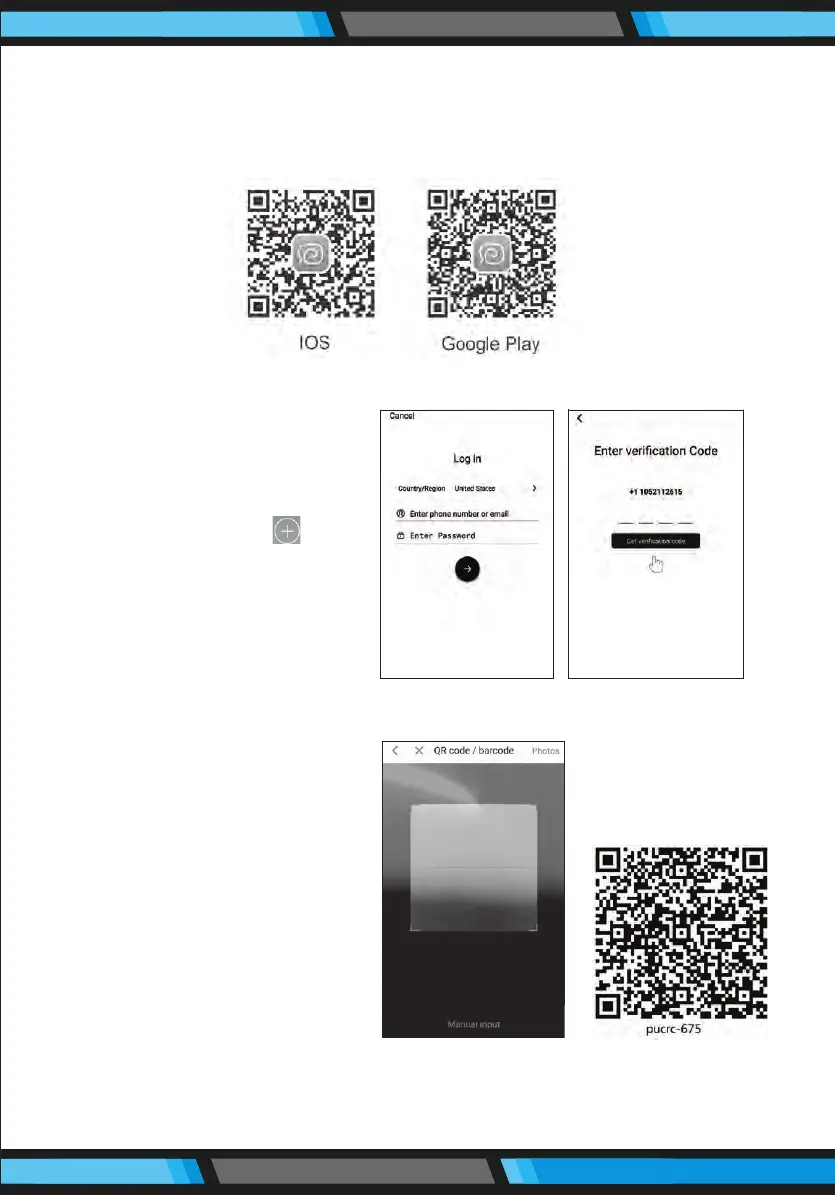
1. Scan the QR code in Figure 1 to download and install “WeBack” APP,
or download and install from other APP stores.
2. Open App, directly log in if
you have a “WeBack”
account; if not, you can
select “New User” to sign
up, and click on " " after
login.
3. Scan the QR code on the
device or the QR code on
the right side, or manual
input the QR code/Barcode
to conrm the device
model, turn on the “Power
switch” by following APP
instructions and go to the
next step.
Figure 1
Figure 4


 To Next Page