www.PyleUSA.com
4
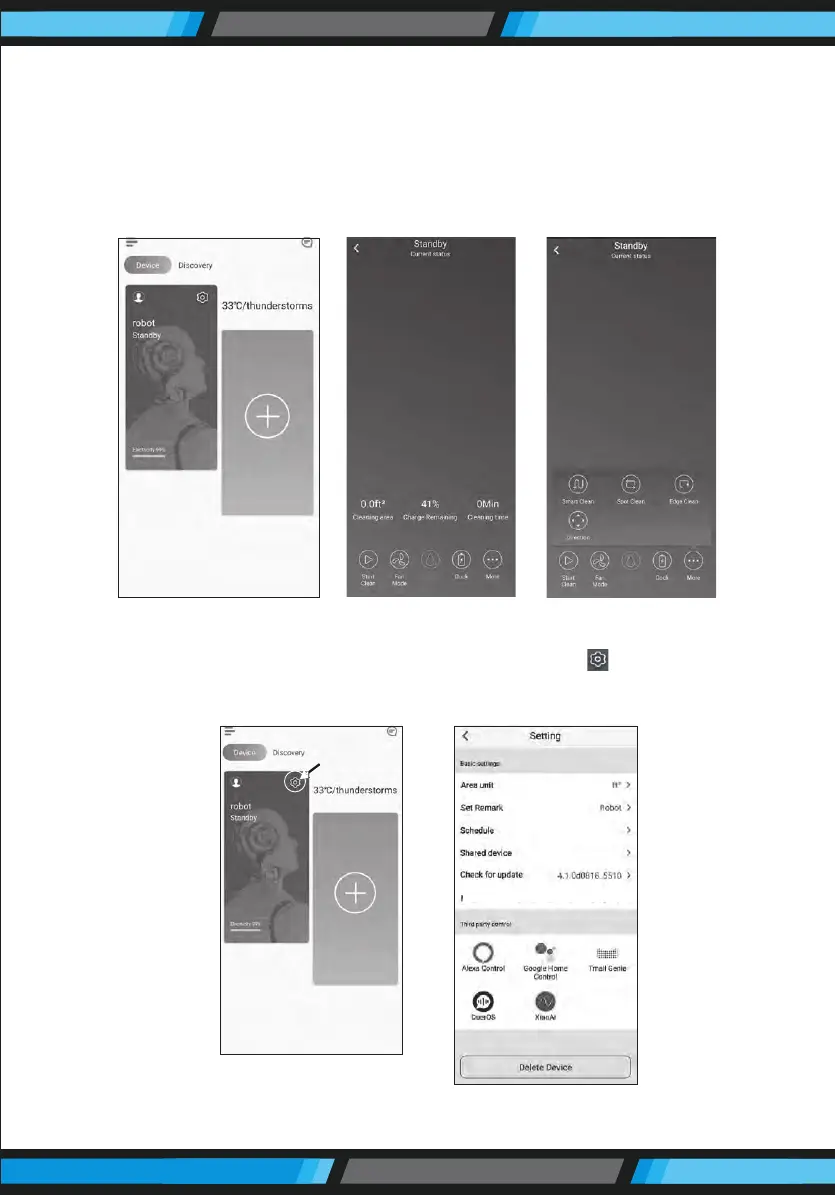
4. When you see the APP enter interface Figure 5, you can start using
APP to control your ROBOT. Tap the device to enter the main interface
of APP (Figure 5), from this interface you can choose dierent cleaning
modes, also to check the cleaning process/status. Tap the “more”
Key (Figure 6) to enter the multi-functional panel (Figure 7).
5. On the device management page, click the button " " (Figure 8), in
the upper right corner of the device to enter the settings page
(Figure 9).
Figure 5
Figure 6 Figure 7
Figure 8 Figure 9


 To Next Page