solo 250 manual_last revision_en.doc
5/16
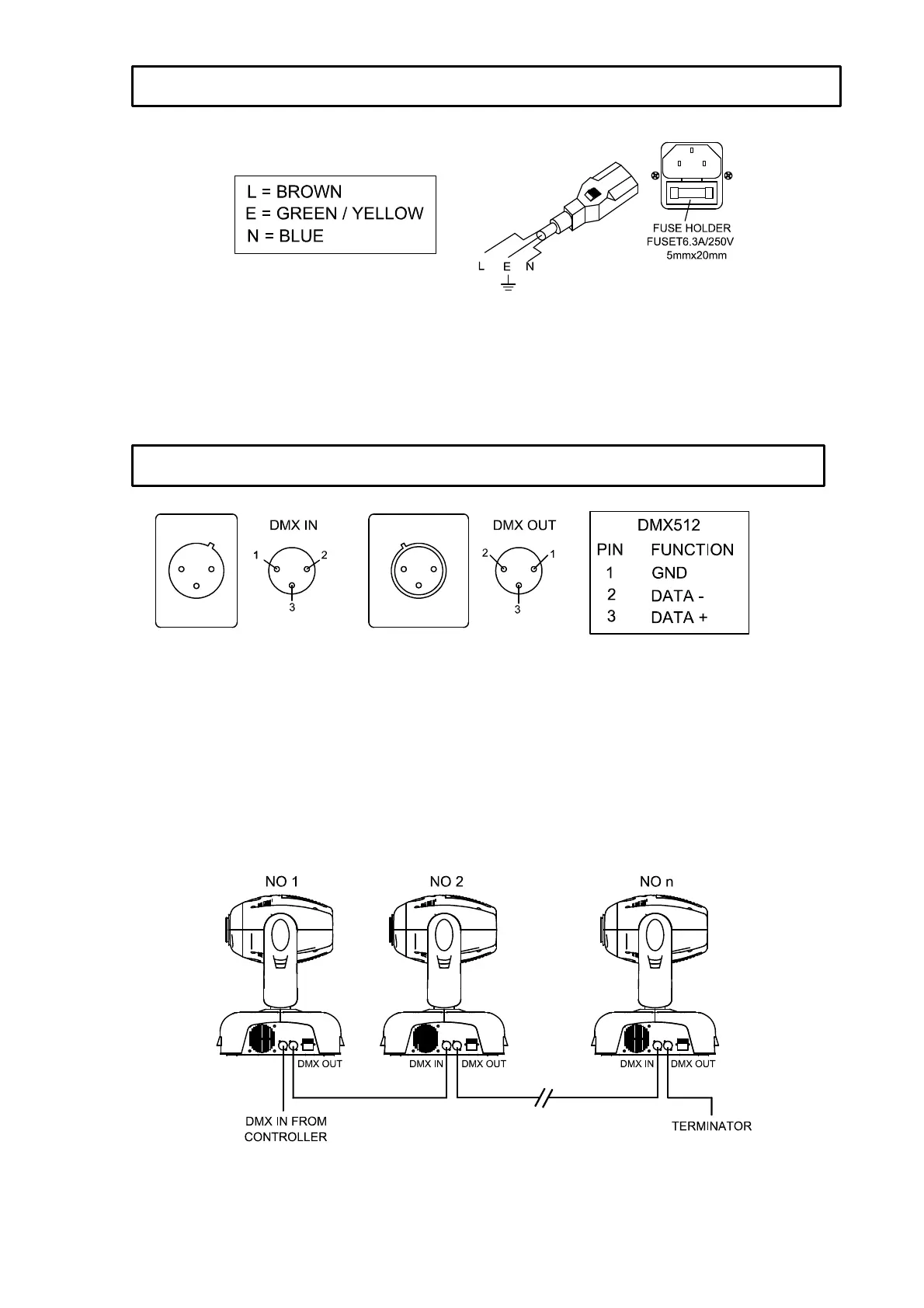
Use the plug provided to connect the mains power to the projector paying attention to the voltage and
frequency marked on the panel of the projector. It is recommended that each projector be supplied
separately so that they may be individually switched on and off.
IMPORTANT
It is essential that each projector is correctly earthed and the electrical installation conforms to all
relevant standards. Power consumption of the SOLO 250 is 400W.
Connection between controller and projector and between one projector and another must be made
with 2-core screened cable, with each core having at least a 0.5mm diameter. Connection to and from
the projector is via cannon 3 pin XLR plugs and sockets, which are included with the projector. The
XLR's are connected as shown in the figure above.
Note: care should be taken to ensure that none of the connections touch the body of the plug or each
other. The body of the plug is not connected in any way. The SOLO 250 accepts digital control signals
in standard DMX512 (1990) format.
Connect the controller’s output to the first fixture’s input. Connect the first fixture’s output to the second
fixture’s input and connect the second fixure’s output to the third fixture’s input, and in the same way
for the rest. Eventually connect the last fixture’s output to a DMX terminator as shown in the figure
below.
When a DMX 512 signal is received the LED located near the digital display will illuminate green.
When not receiving a DMX signal the green and red LEDs will be off, and if the green LED flashes, it
means that the DMX signal is not correct.
POWER SUPPLY - MAINS
CONTROL CONNECTIONS



 To Next Page